NewShip: board, pull requests, deploys and uptime

Every AI agent you run, in one place.

Claude Code, Codex or OpenCode, on any model: hosted, or a local LLM on your own machine. Queue the work, watch it land, check it and ship it, from your desk or your phone.

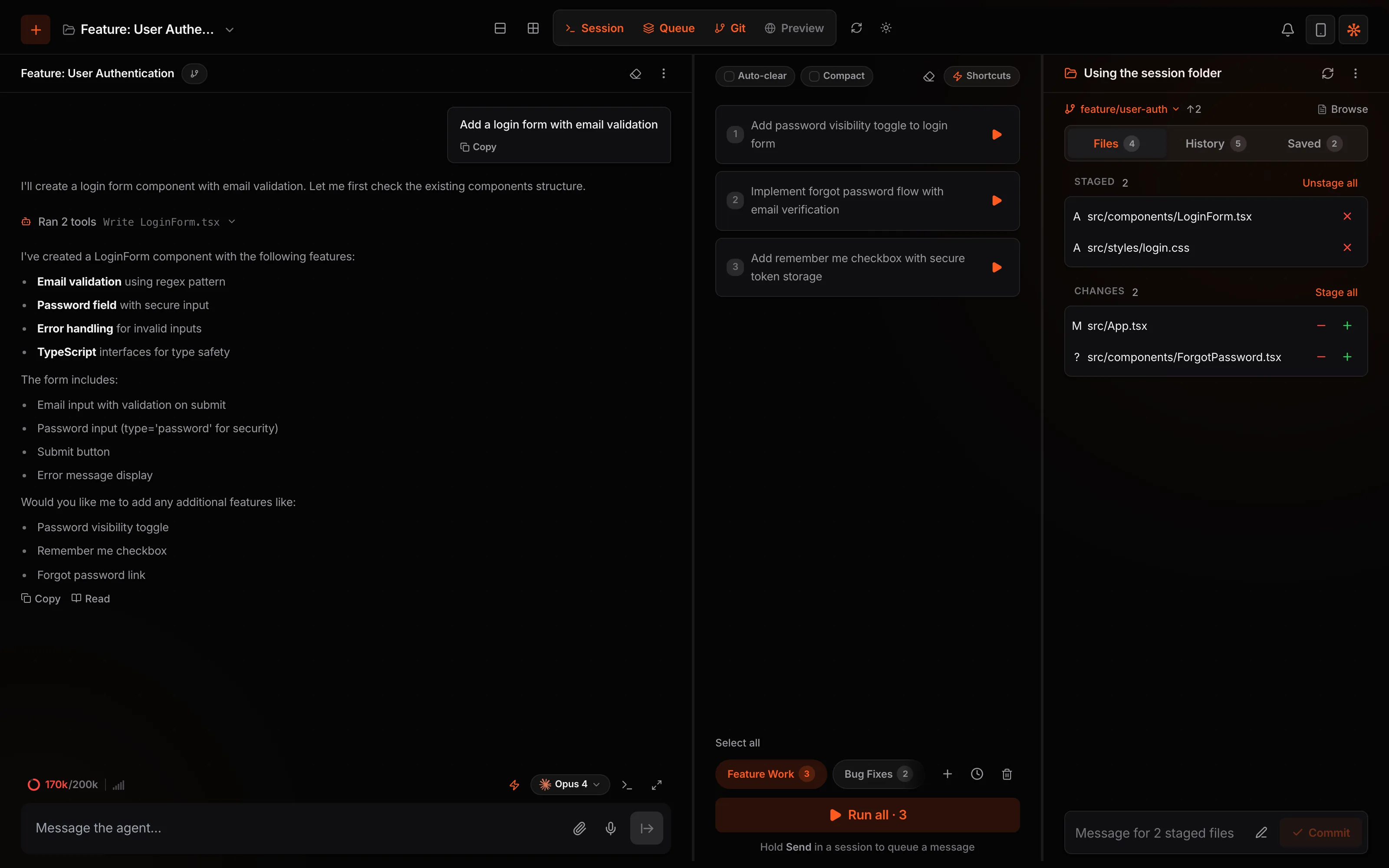
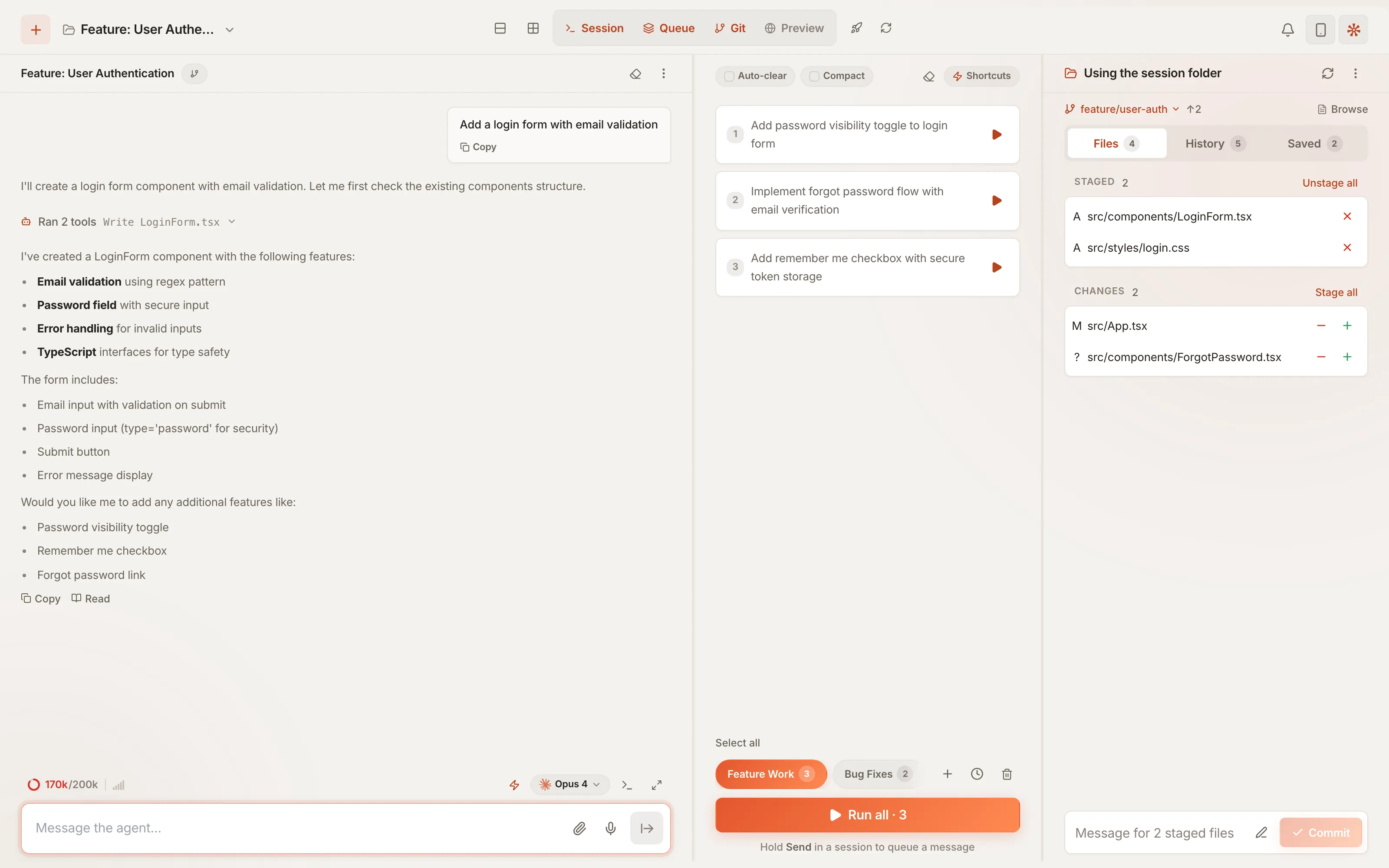
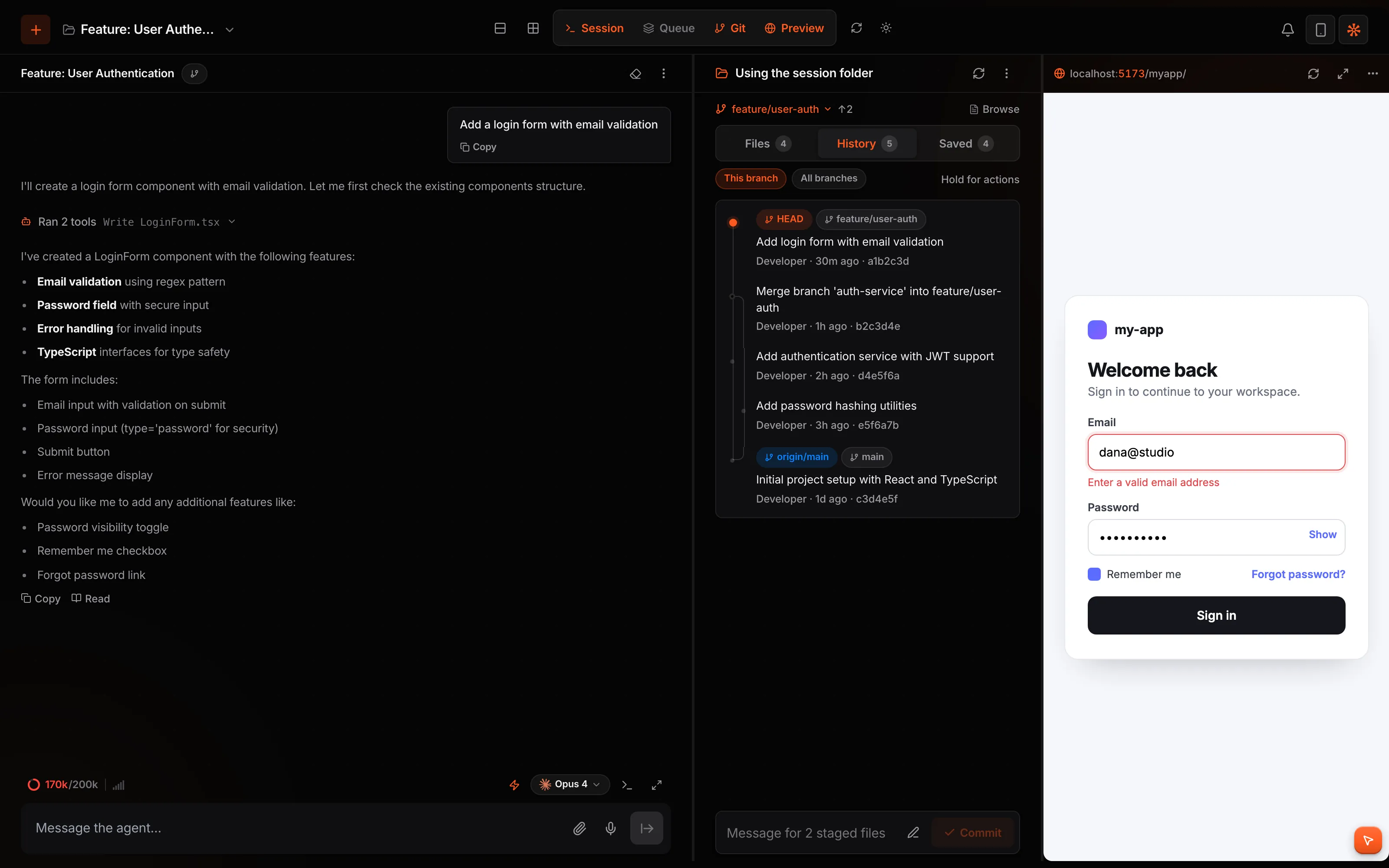
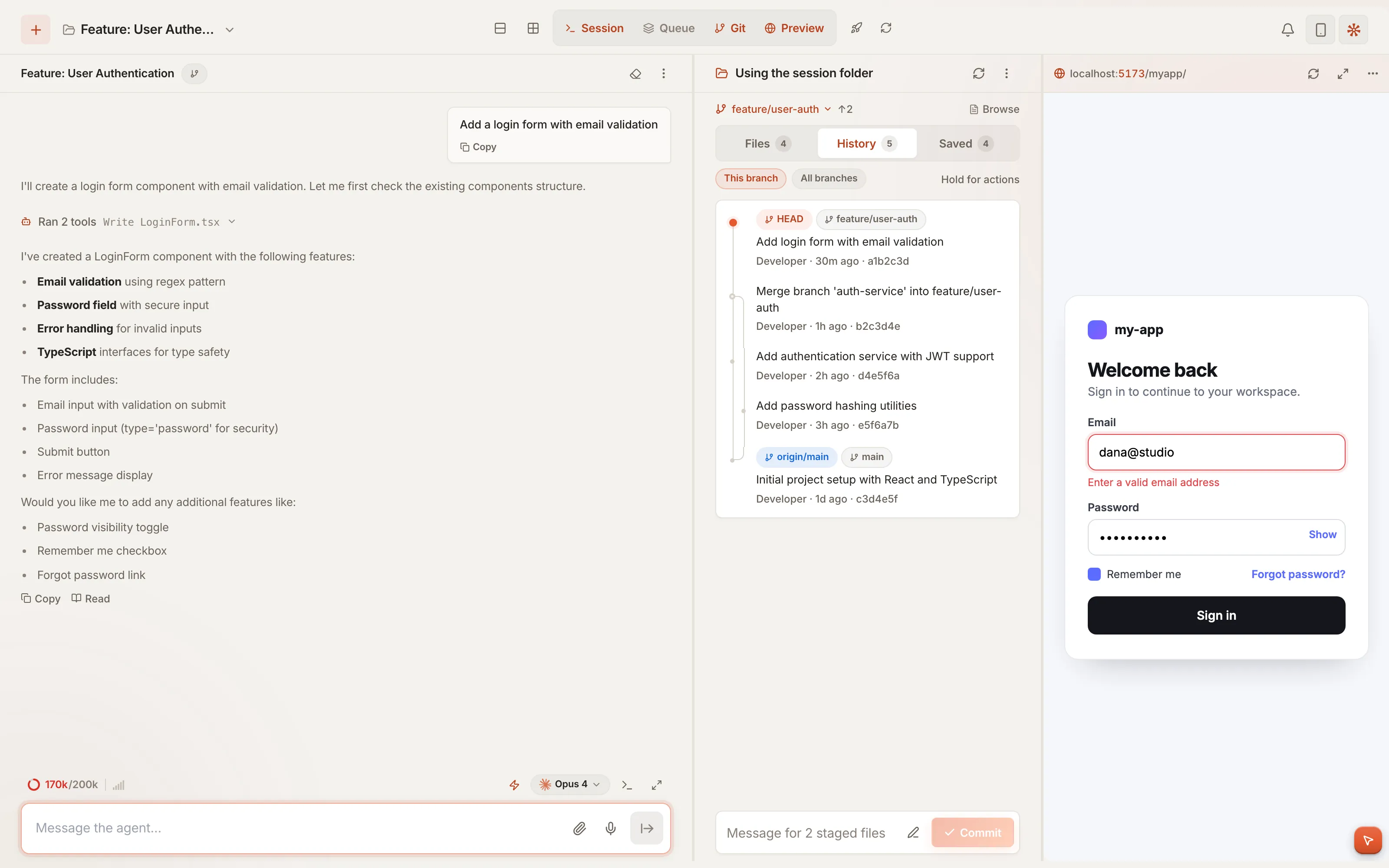
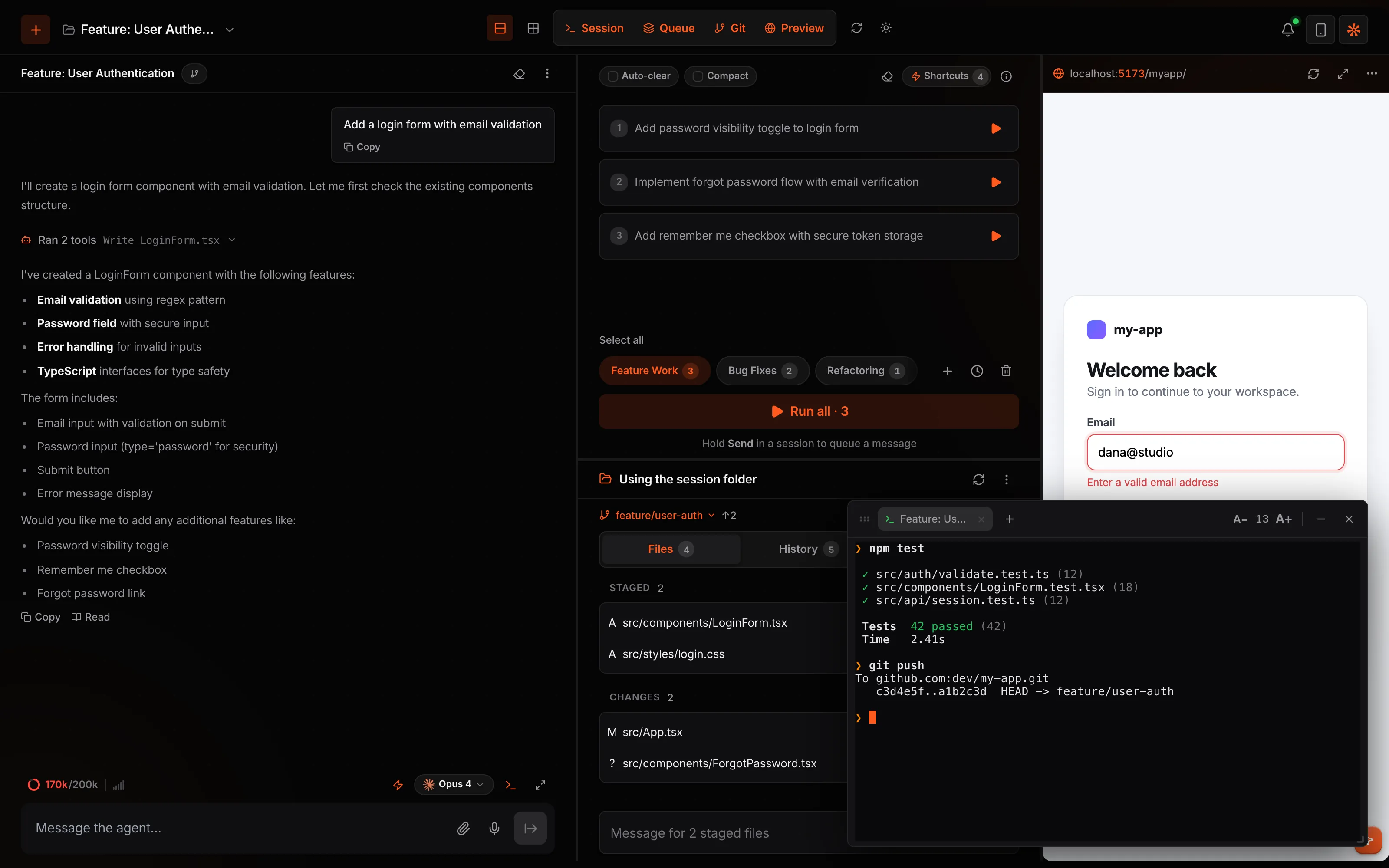
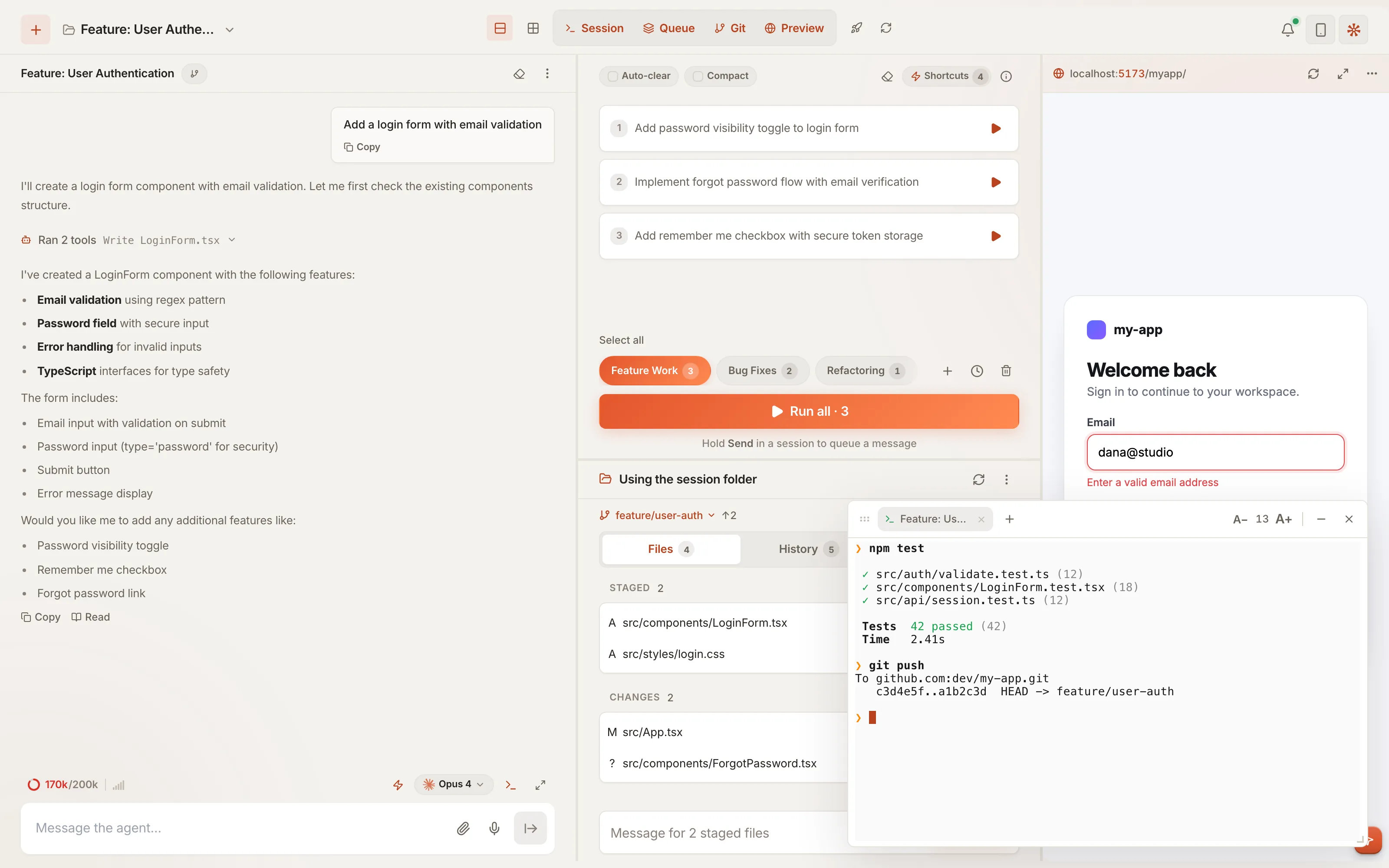
Qew on the desktop: a chat with the agent, the queue above the git panel, a live preview of the app and a terminal running the tests.Qew on the desktop: a chat with the agent, the queue above the git panel, a live preview of the app and a terminal running the tests.
Why teams choose Qew

Your agents keep working after you log off.

01 · Hours back

Work that runs itself

Queue tonight's tasks, schedule the nightly review, approve the one risky command from your phone. The morning starts with finished work.

02 · Fewer redos

Checked before you look

Every turn ends with tests and a type check. The agent sees the screen it built. Any turn rolls back in one step.

03 · Nothing new to buy

Keep your stack

Qew drives the Claude Code, Codex and OpenCode plans you already pay for, or local models. No token resale, no markup.

Code stays on your machinesEnd-to-end encryptedNo accounts to provisionmacOS · Windows · Linux · iOS · Android
What makes Qew different

Same agents. A lot more they can do.

Sees the app

Agents look at what they built

Every agent gets screenshots of your running app and a browser it can click and type in.

Queue + schedule

Work runs overnight

Queue tasks and schedule them. They run on the host whether or not your phone is connected.

Shortcuts

Workflows on one button

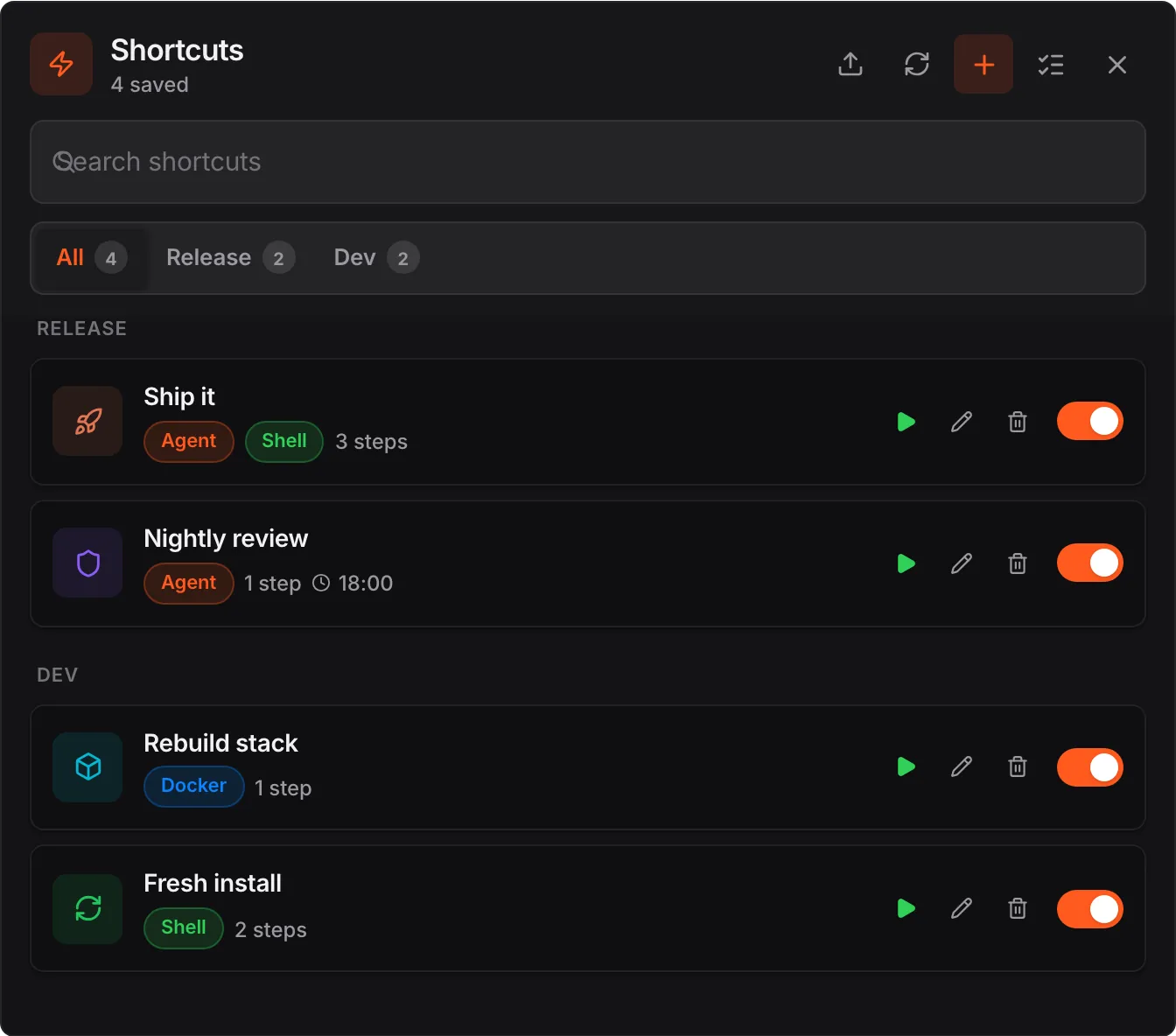
Agent, shell and Docker steps in one shortcut. Run it, schedule it, share it.

Checked

QA on every turn

Tests, type checks and learned notes run the moment an agent stops.

Many agents

Parallel, no collisions

File locks between sessions. Bakeoff runs one task on several providers side by side.

Ship

From the board to production

Issues, pull requests, deploys and uptime, with a failure one tap from the agent's queue.

Getting started

Three steps. No account.

  1. 01
    Install

    Download Qew for Mac and open it. Its setup screen finds your agents and gets the host running.

  2. 02
    Scan

    Point your phone at the QR code. That pairs it. There is nothing to sign up for.

  3. 03
    Pick an agent and a model

    Claude Code, Codex or OpenCode, on their own models or any endpoint, local LLMs included. Then type what you want built.

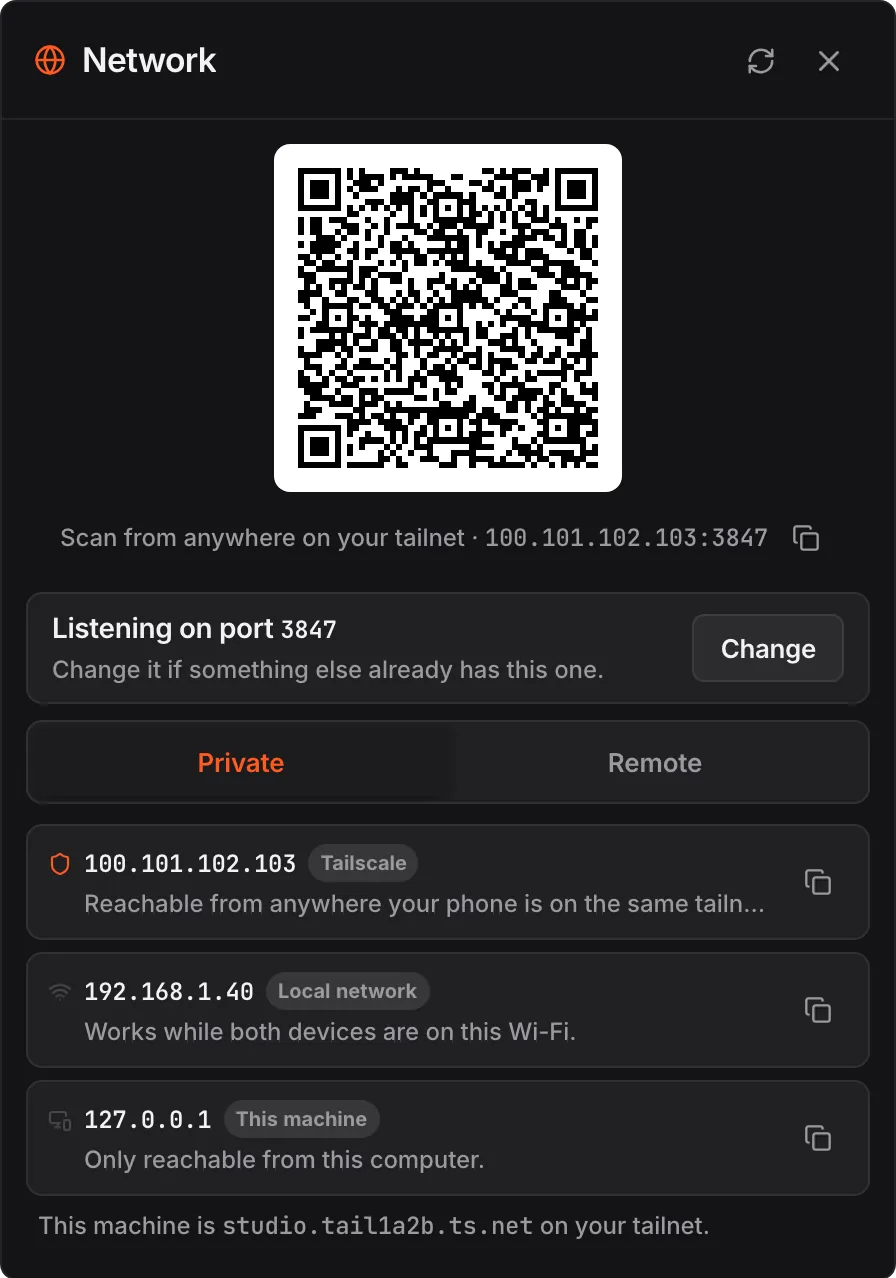
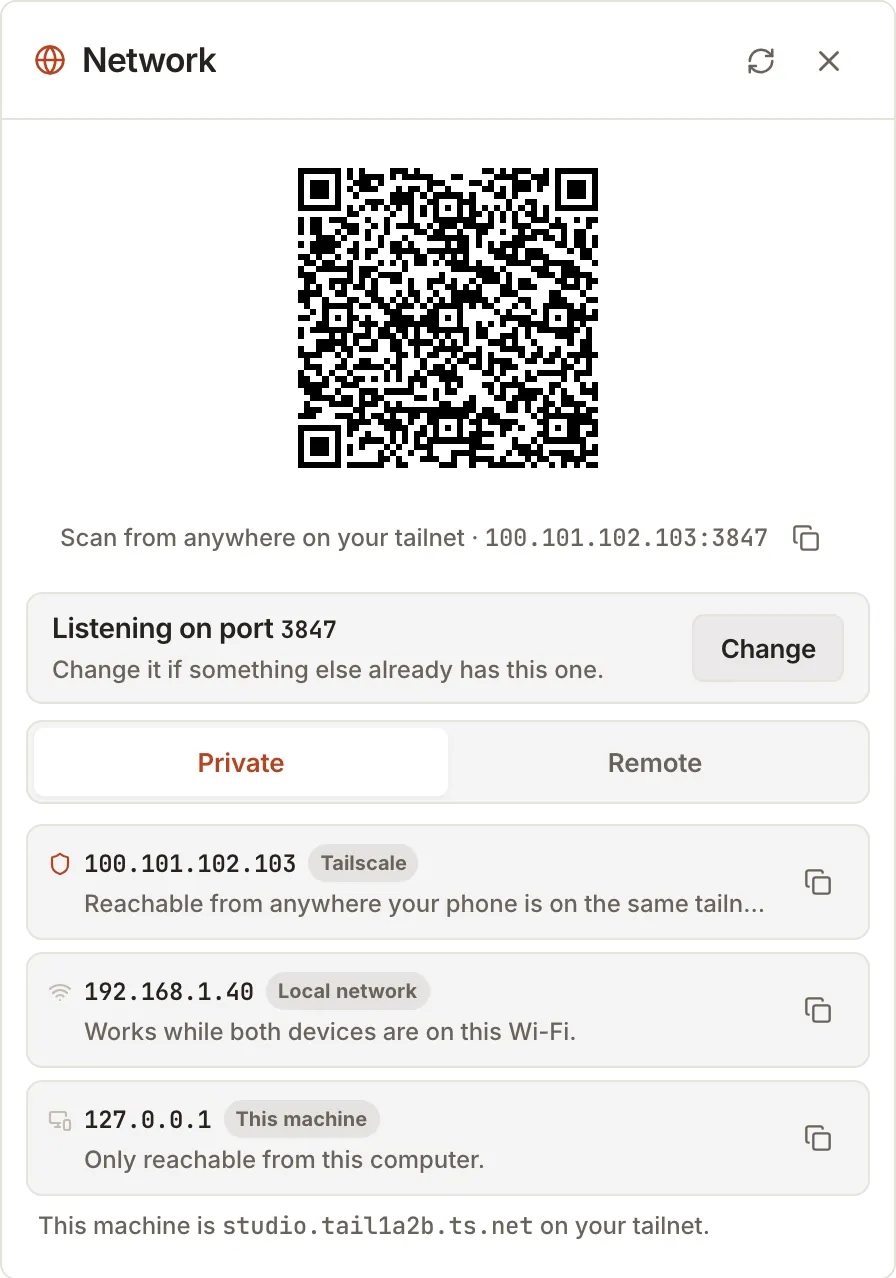
The Network panel with a pairing QR code and the addresses this machine is reachable on.The Network panel with a pairing QR code and the addresses this machine is reachable on.
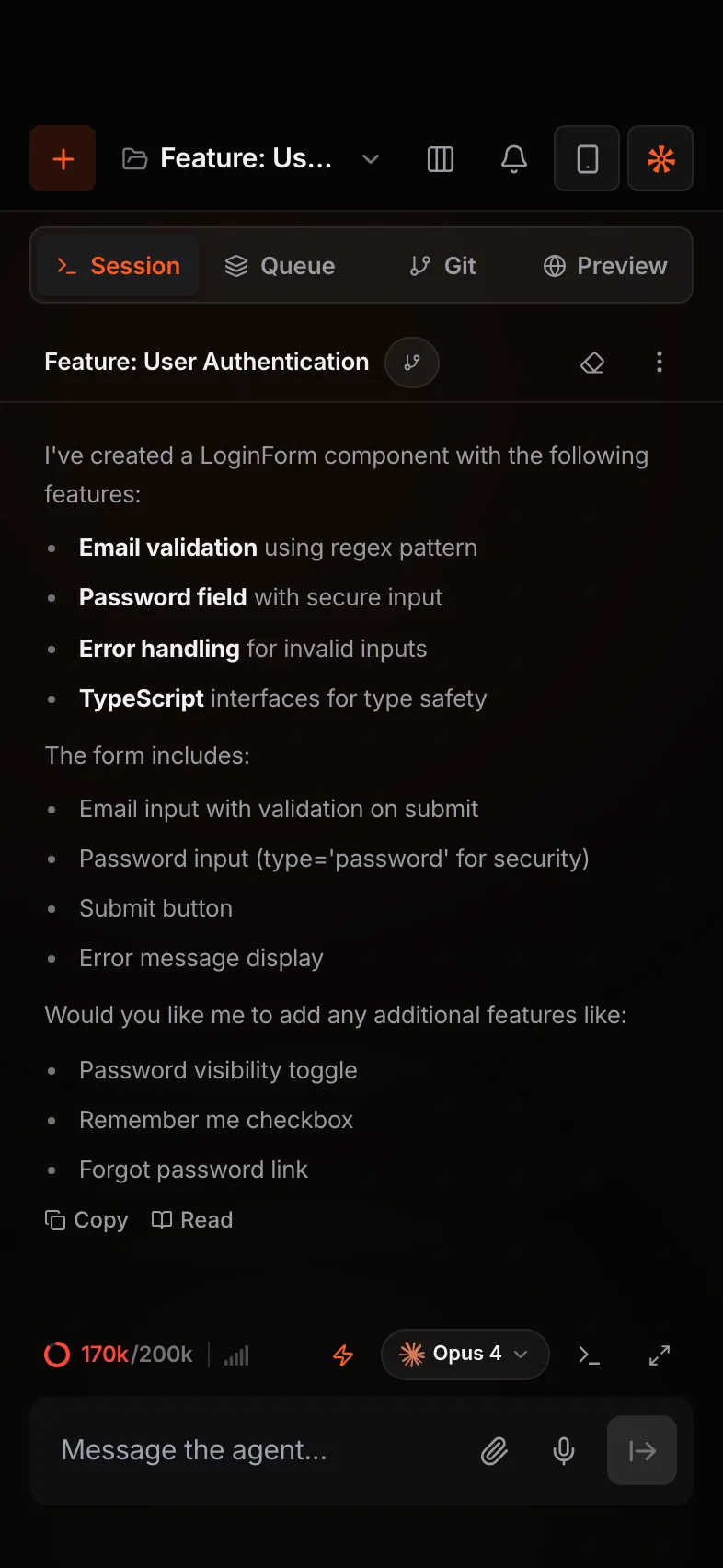
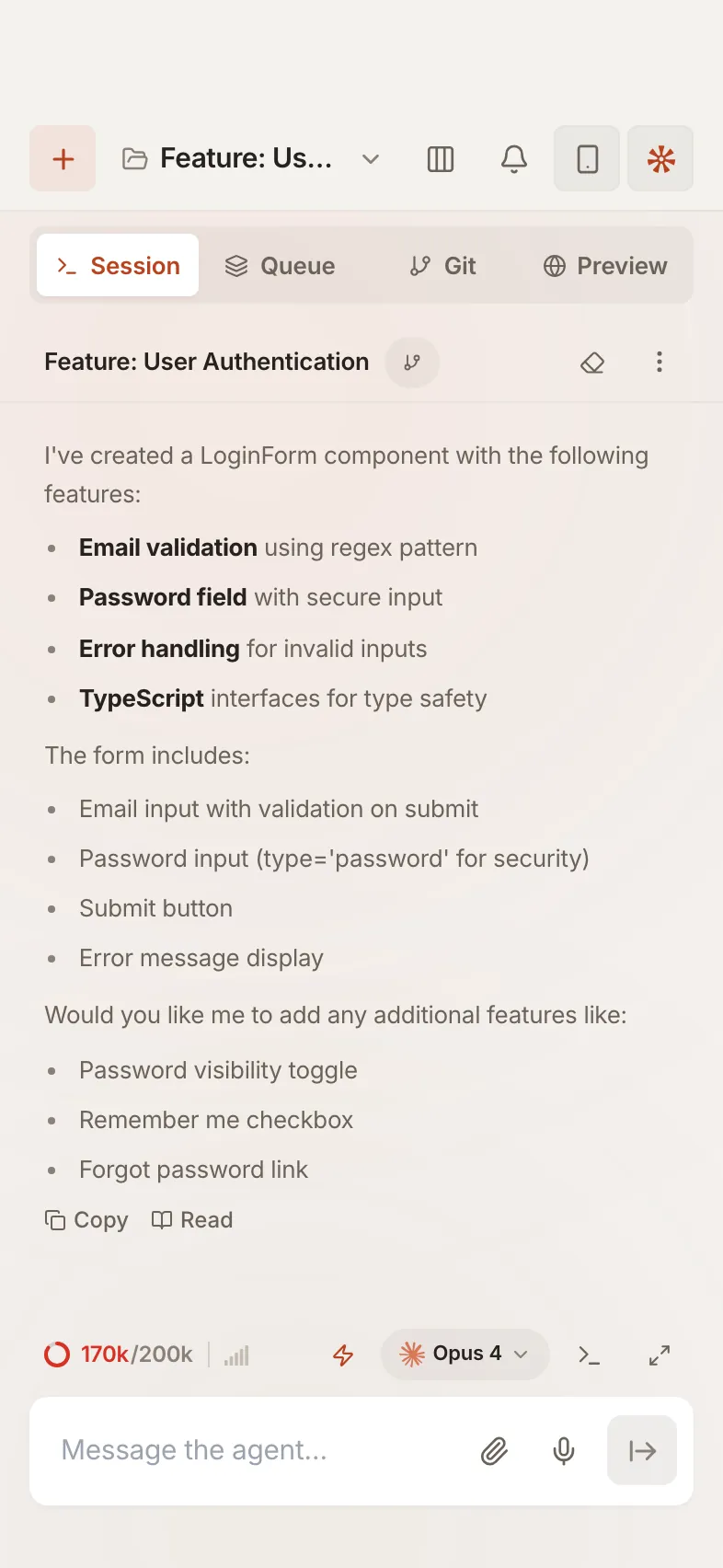
Qew on a phone, showing the same session.Qew on a phone, showing the same session.
Queue and scheduler

Line it up. Let it run.

  1. A queue per stream. Group tasks into folders like Feature Work and Bug Fixes. Run all, or one at a time.
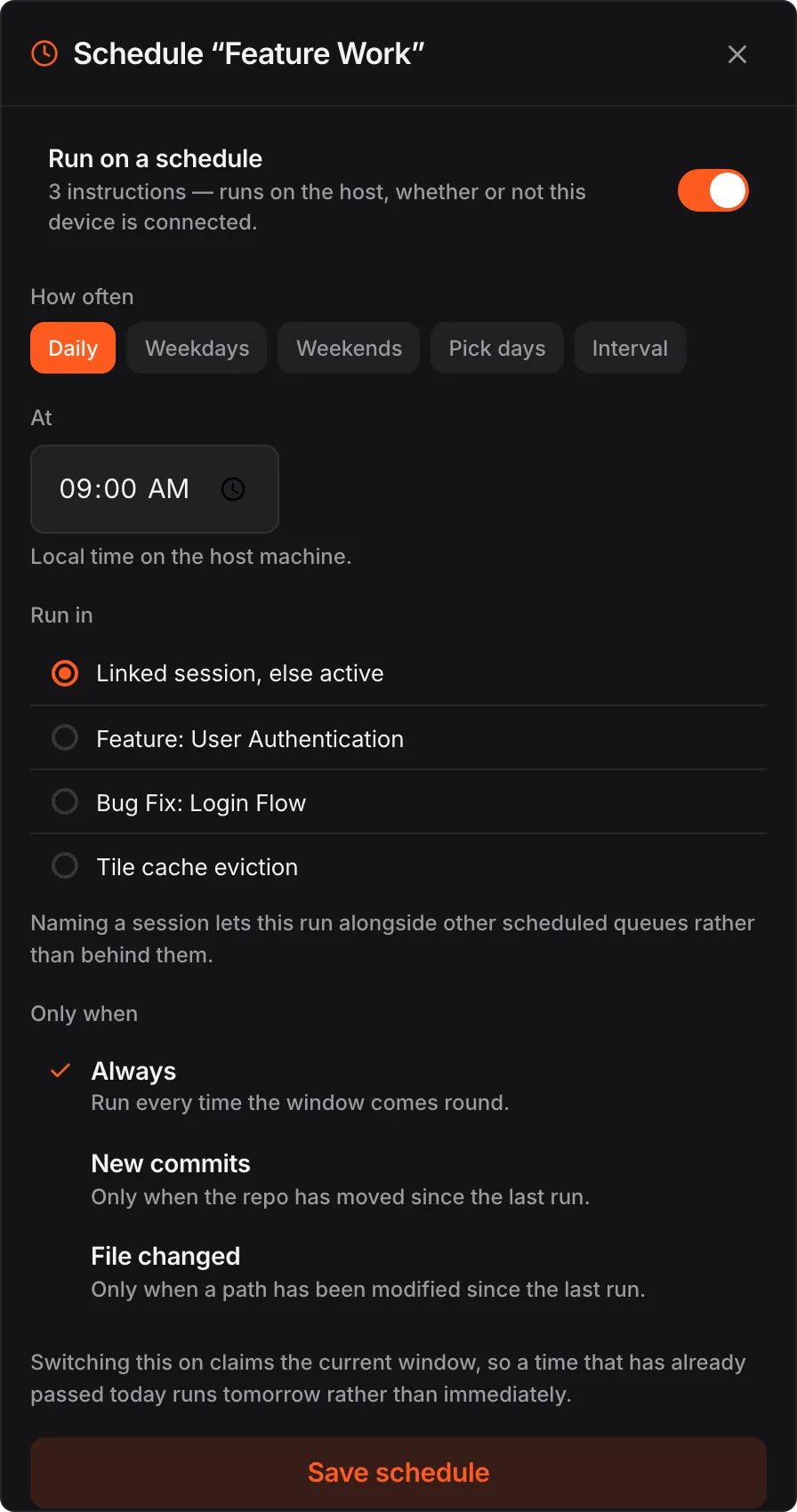
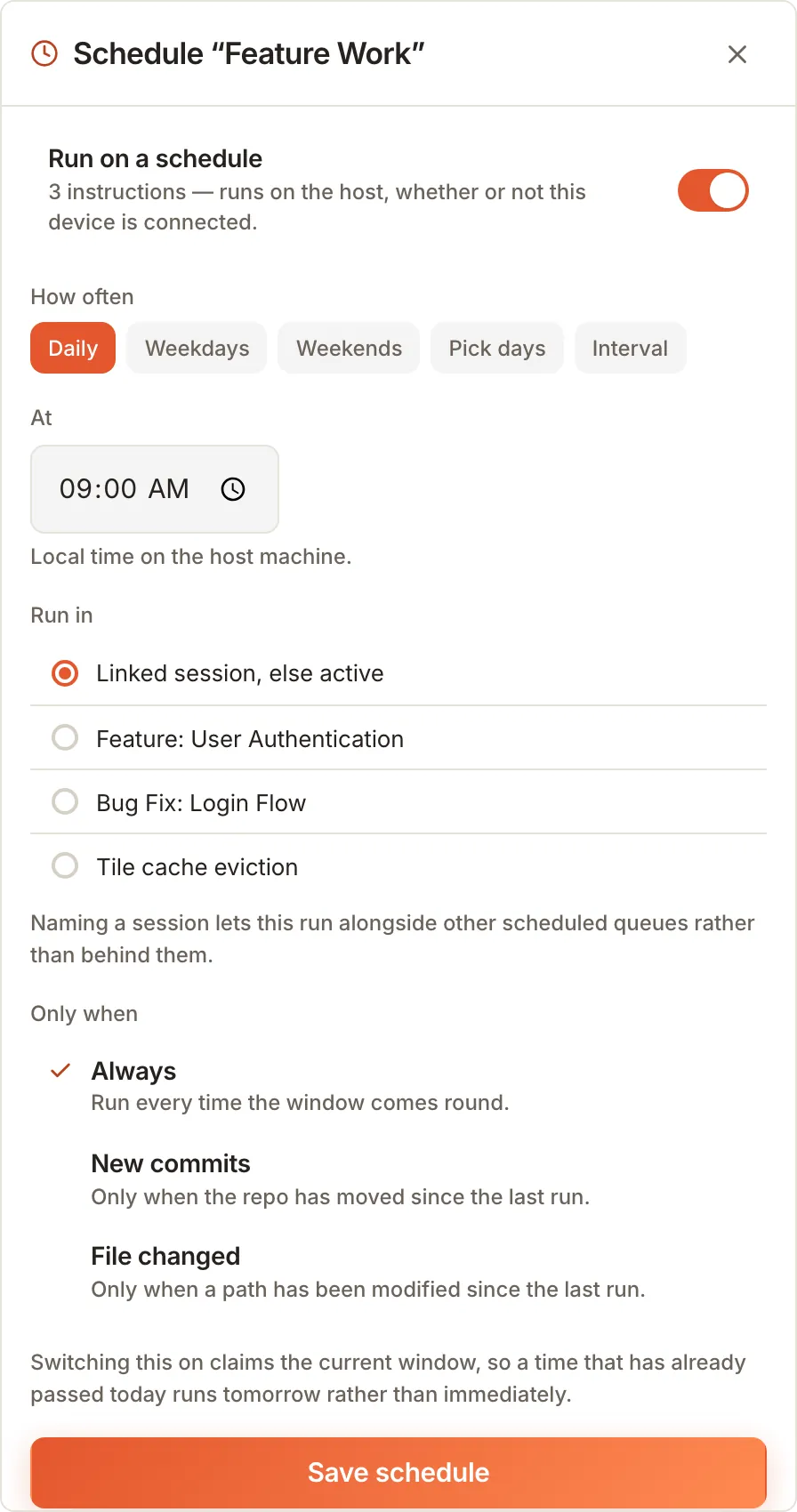
  2. On your schedule. Daily, weekdays, weekends, picked days or every N minutes.
  3. Only when it matters. Run on new commits, or when a file changed since the last run.
  4. Runs on the host. Fires with the phone off. A machine that slept through the time catches up when it wakes.
A session with its queue of instructions grouped into folders.A session with its queue of instructions grouped into folders.
Scheduling the Feature Work queue for 09:00 daily.Scheduling the Feature Work queue for 09:00 daily.
Qew Shortcuts

A whole workflow on one button.

  1. Mix the steps. An agent instruction, a shell command and a Docker step in one sequence.
  2. Schedule them. The same scheduler as queues. A nightly review at 18:00 on weekdays is one setting.
  3. Share them. Export a set, a teammate imports it. Everyone ships the same way.
  4. Chain them. Make a shortcut the last step of After each run, so a passing turn ships itself.
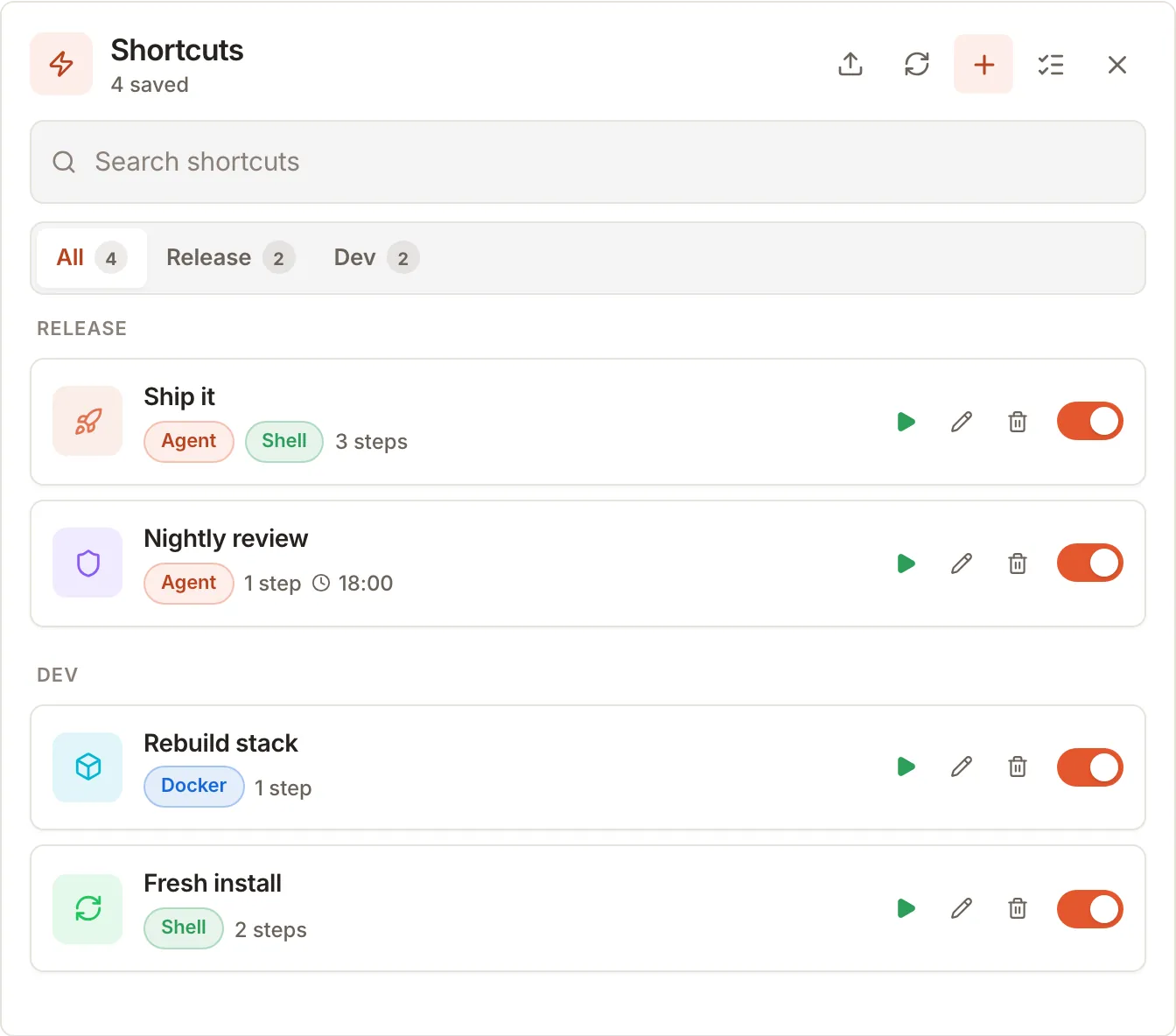
Saved shortcuts: Ship it, Nightly review, Rebuild stack and Fresh install.Saved shortcuts: Ship it, Nightly review, Rebuild stack and Fresh install.
Built-in agent tools

Agents that see what they build.

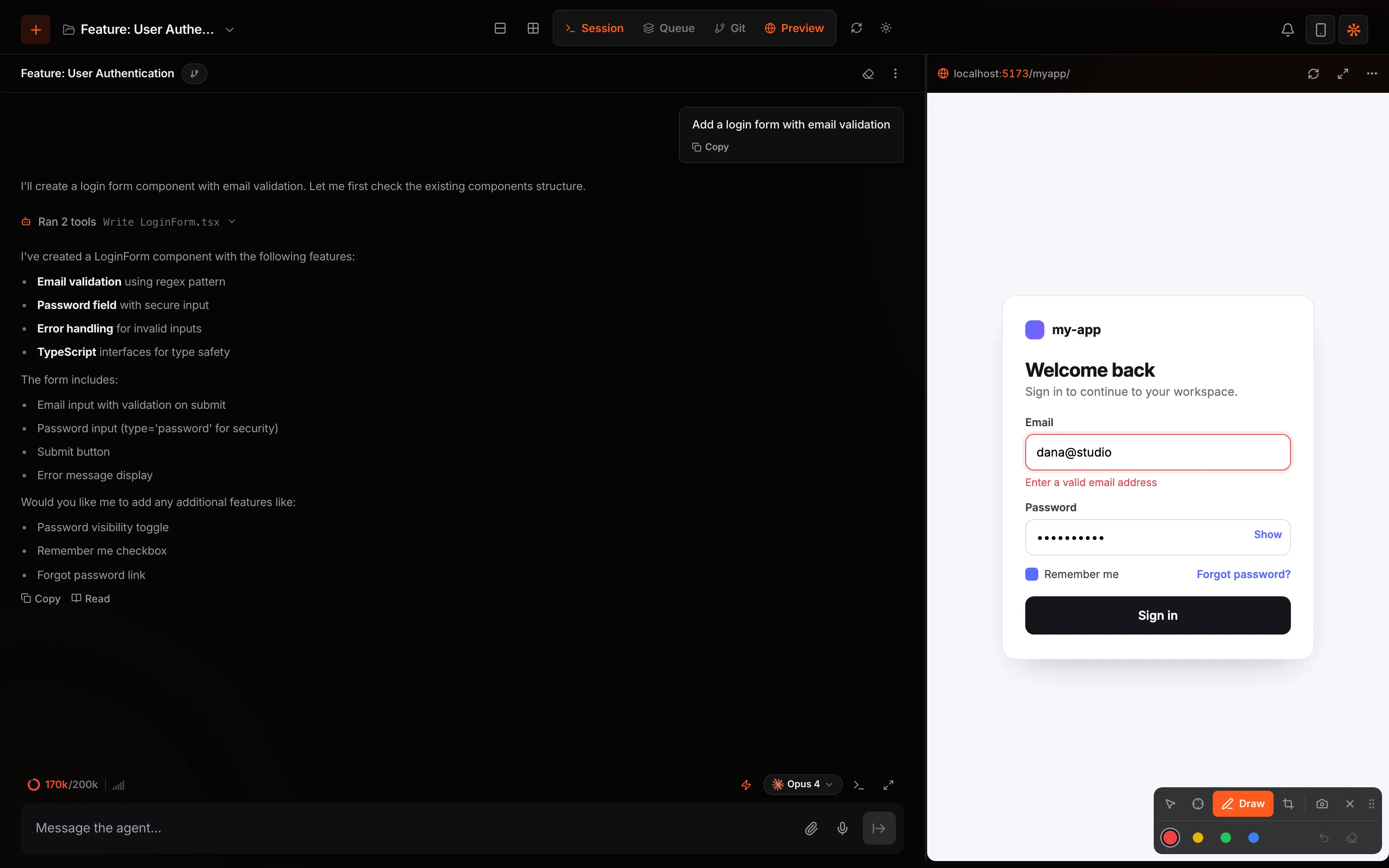
  1. Eyes on the app. Qew hands every agent a screenshot and the layout of your running preview.
  2. Hands on it too. The agent can click, type and navigate in a real browser, and run commands in your terminal.
  3. You point, it fixes. Select, draw or crop on the live page, then send it to the agent.
preview_screenshotpreview_layoutagent_browser_clickagent_browser_typeterminal_runserver_write
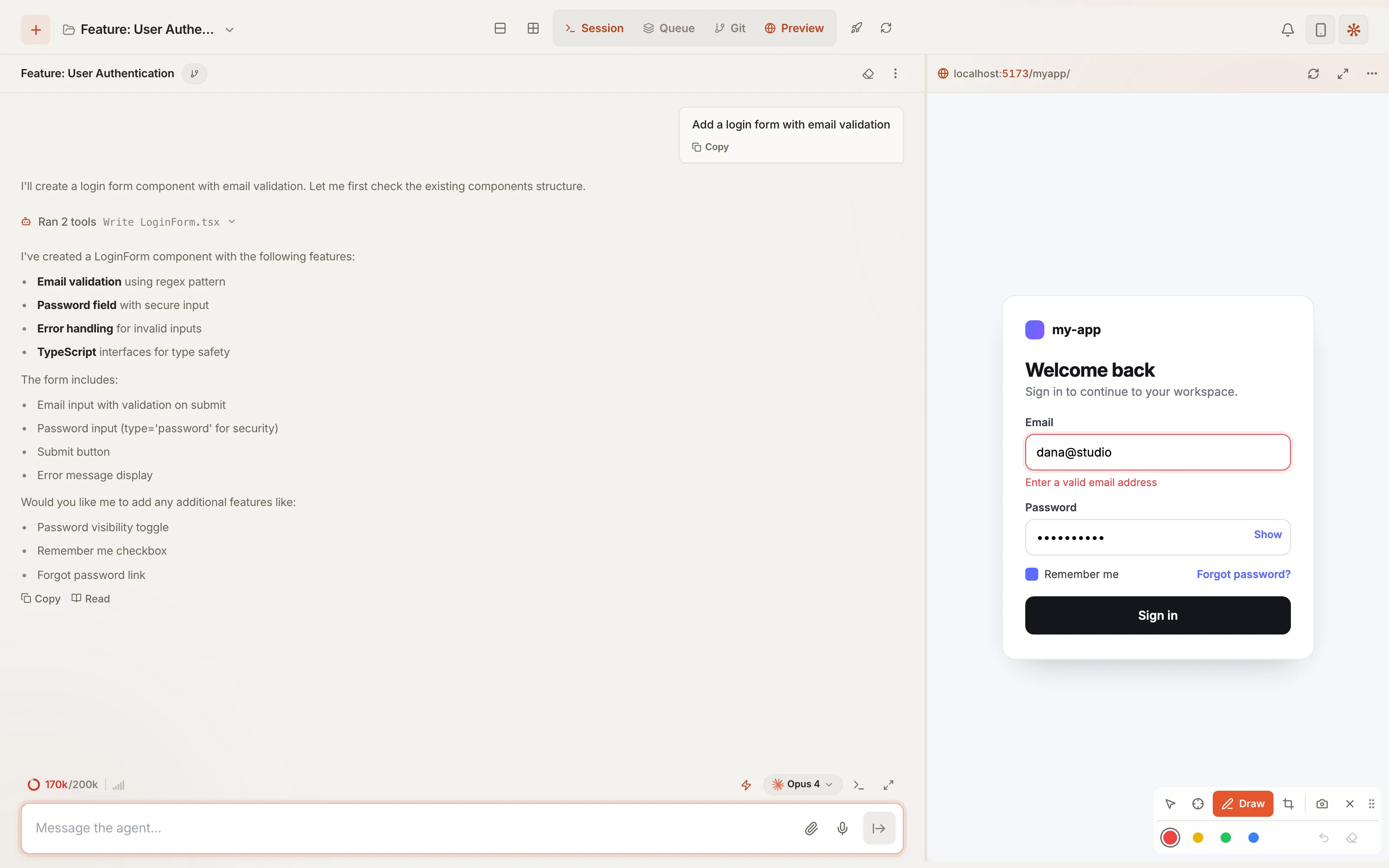
Drawing on the live preview to show the agent what to change.Drawing on the live preview to show the agent what to change.
Orchestration

Many agents. No collisions.

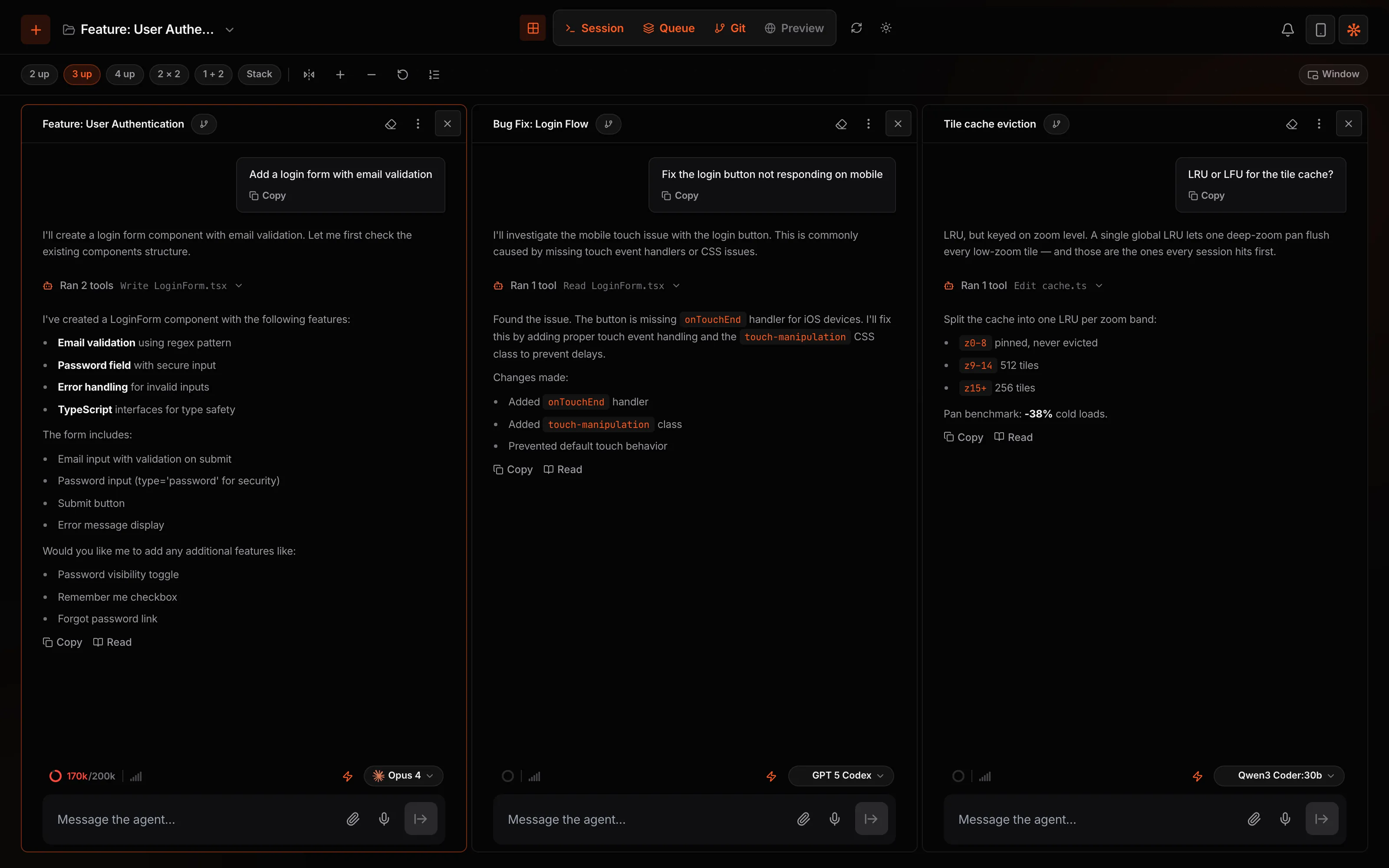
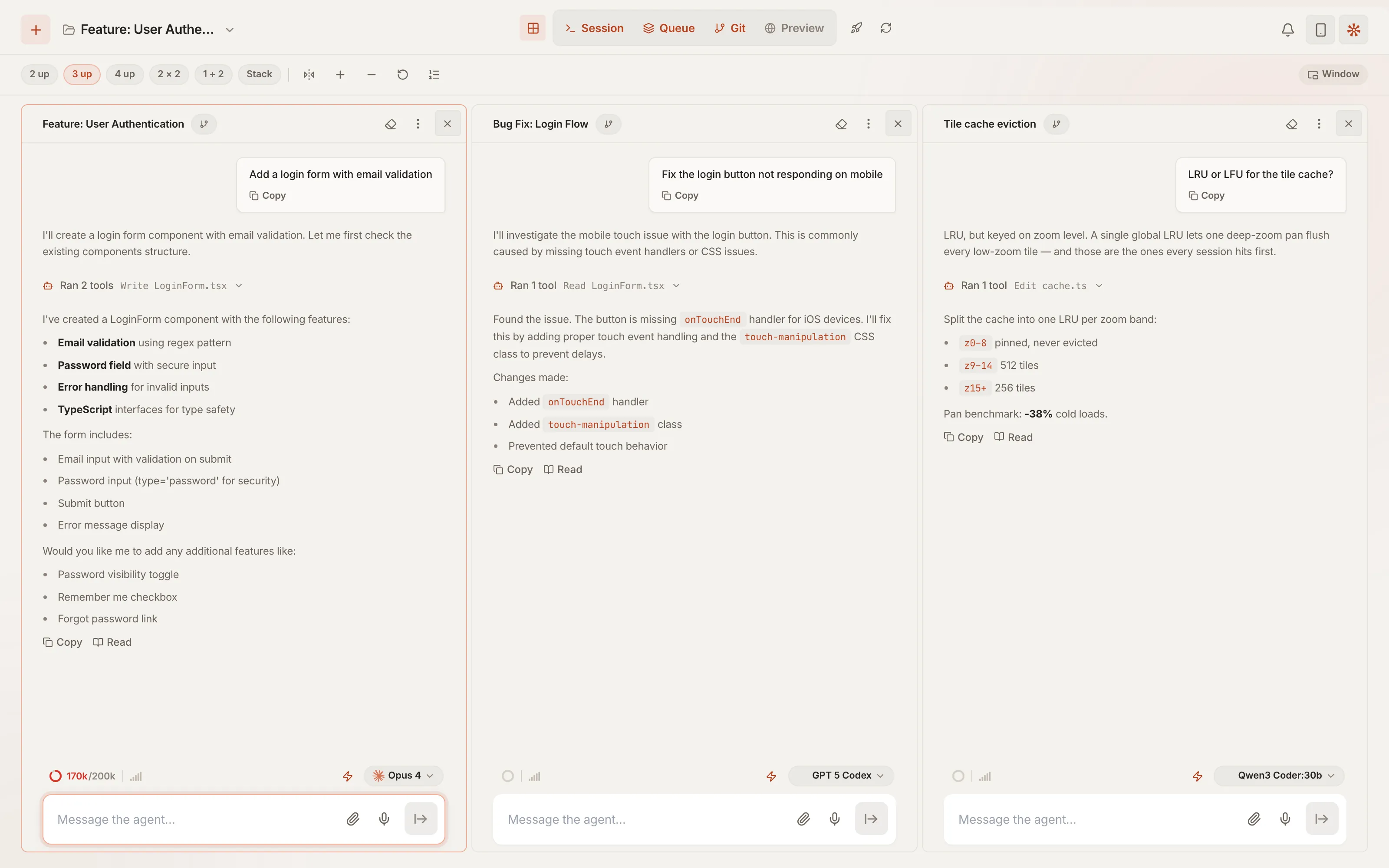
  1. Side by side. Multi-view tiles your sessions. Parallel Mode locks each file to one of them.
  2. One message, many sessions. Type @A @B. Idle sessions start now, busy ones pick it up next.
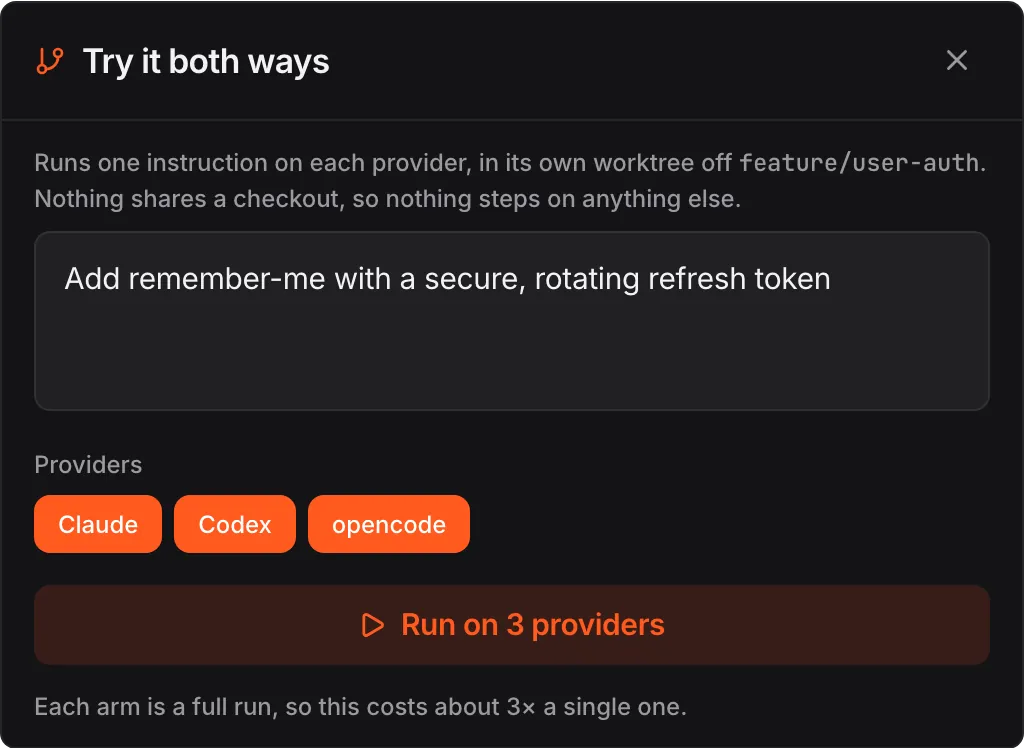
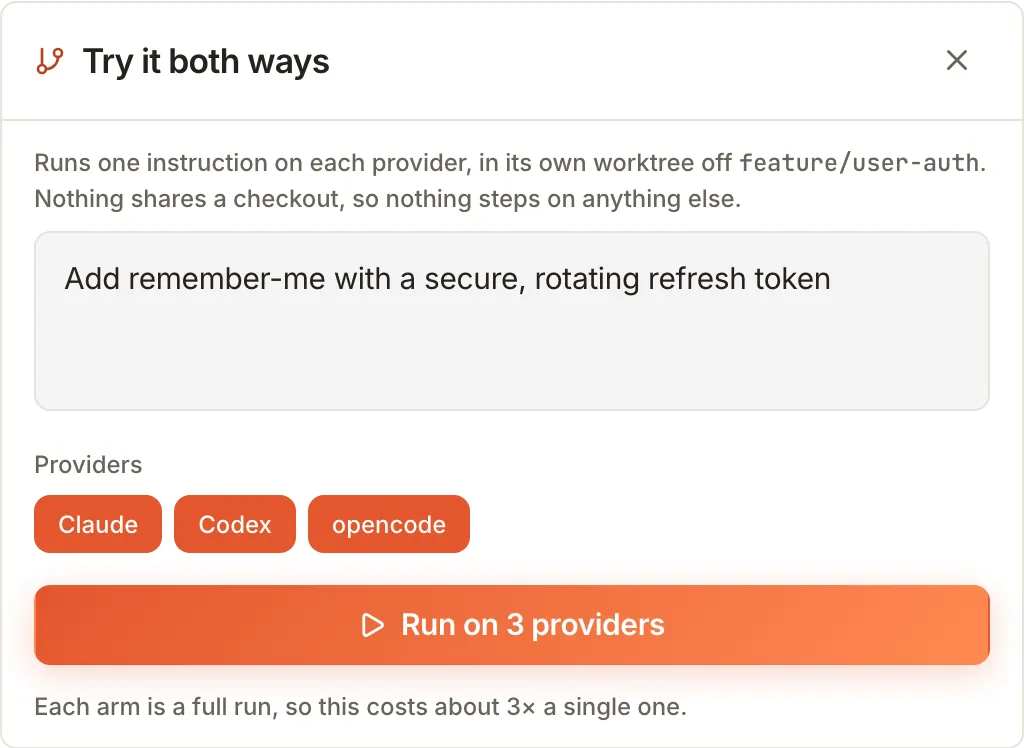
  3. Bakeoff. One task, several providers, separate worktrees. Keep the winner.
Three sessions tiled side by side, each on a different agent.Three sessions tiled side by side, each on a different agent.
Compare providers: one task sent to several agents.Compare providers: one task sent to several agents.
Quality

Every turn ends with a check.

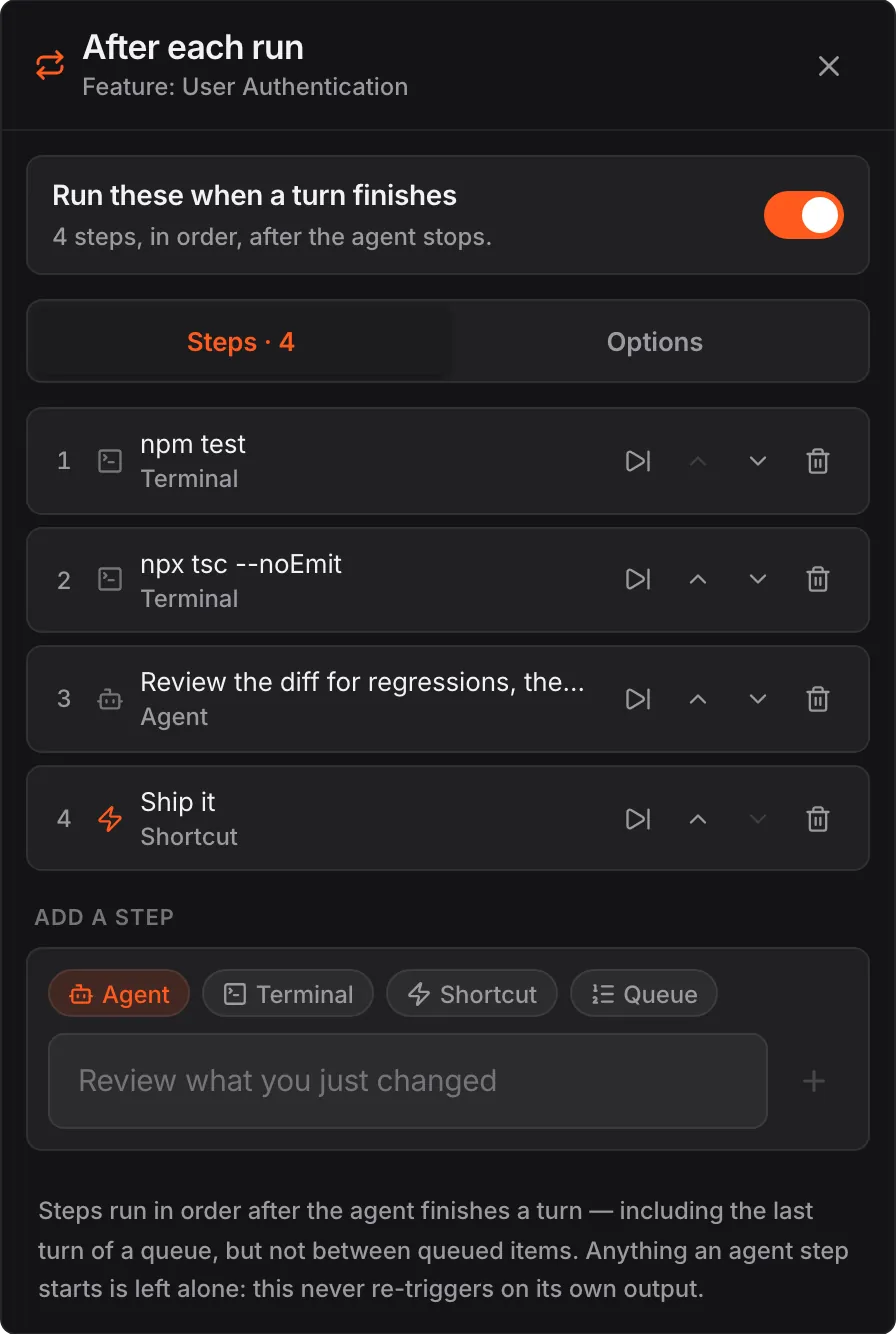
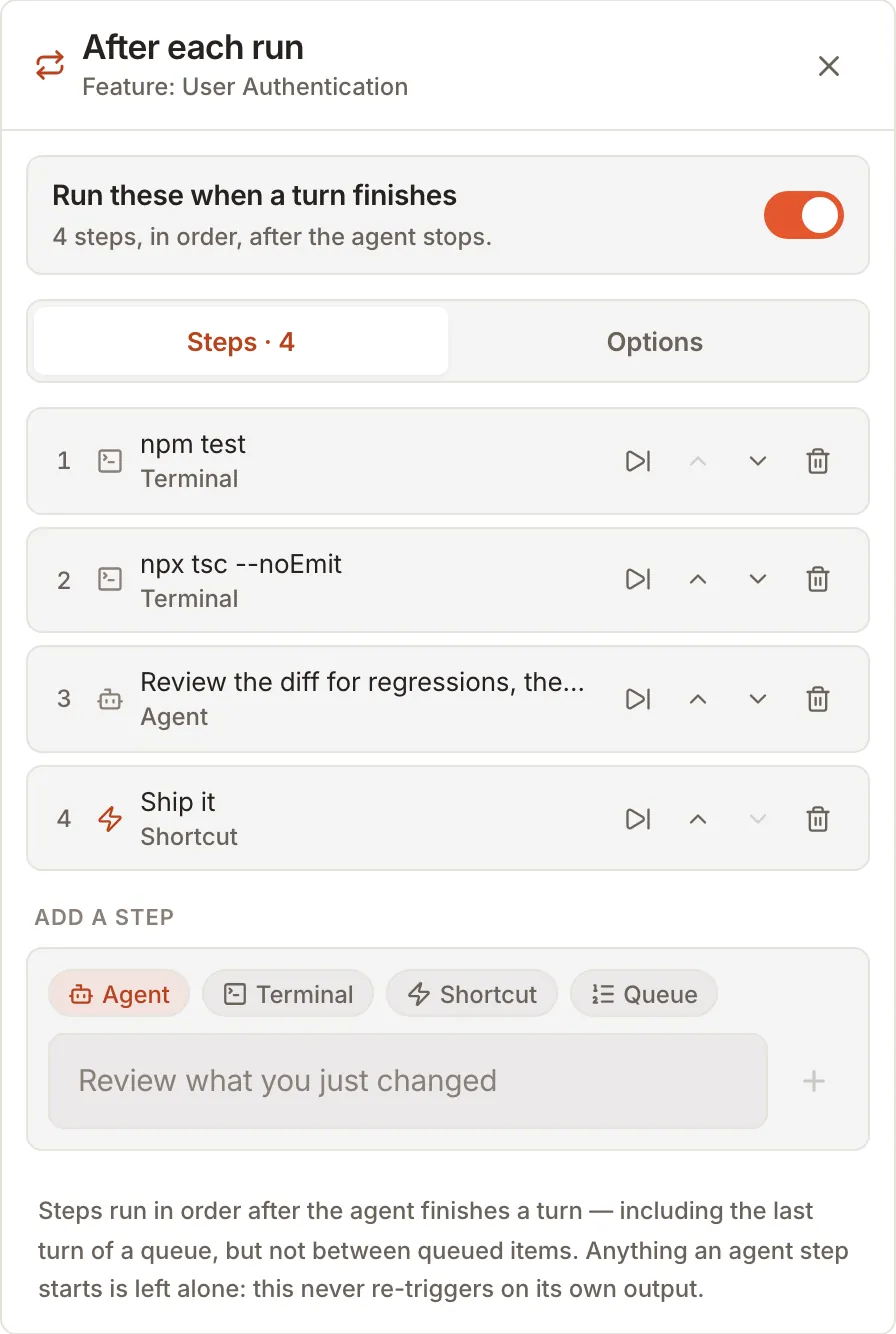
  1. After each run. Tests, a type check and a commit run when the agent stops. Pick the steps per session.
  2. It learns. The agent writes what it figured out to NOTES.md, so the next session starts smarter.
  3. Rewind. Qew saves a checkpoint on every turn. Undo is one step.
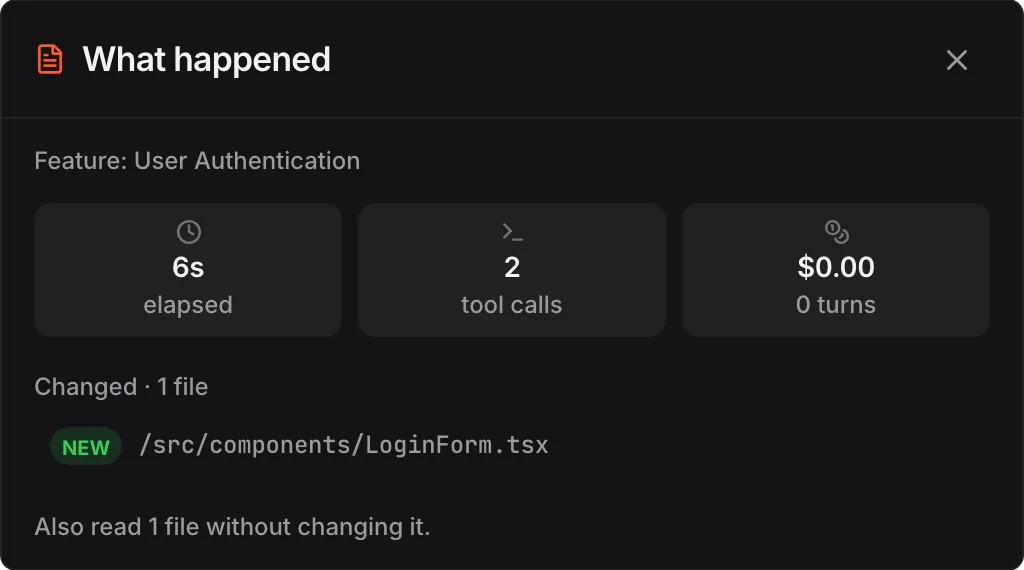
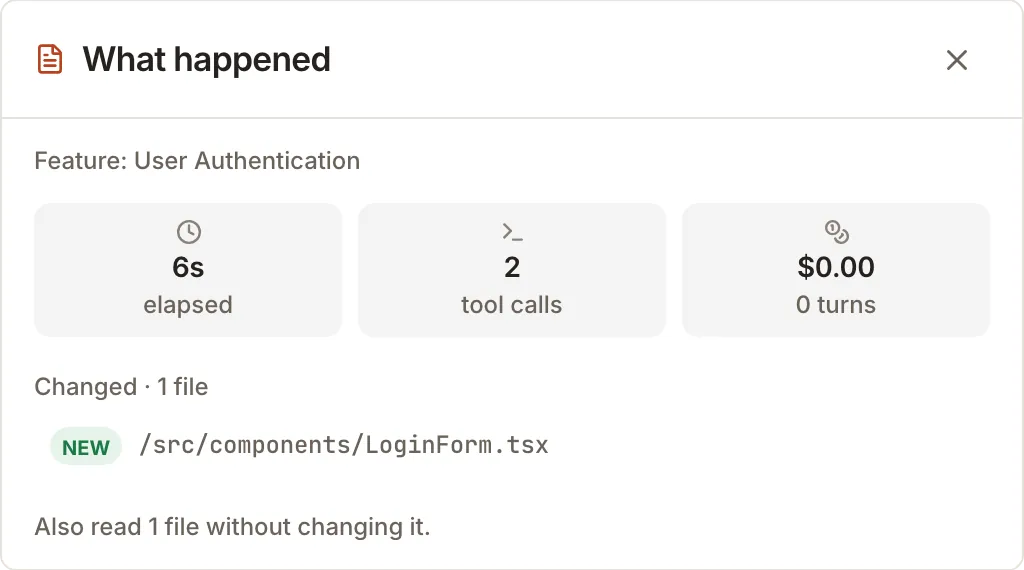
  4. What happened. Time, tool calls, cost and changed files, in one card.
After each run: npm test, a type check, an agent review and the Ship it shortcut.After each run: npm test, a type check, an agent review and the Ship it shortcut. What happened: elapsed time, tool calls, cost and changed files.What happened: elapsed time, tool calls, cost and changed files.
Mobile

The whole desk, in a pocket.

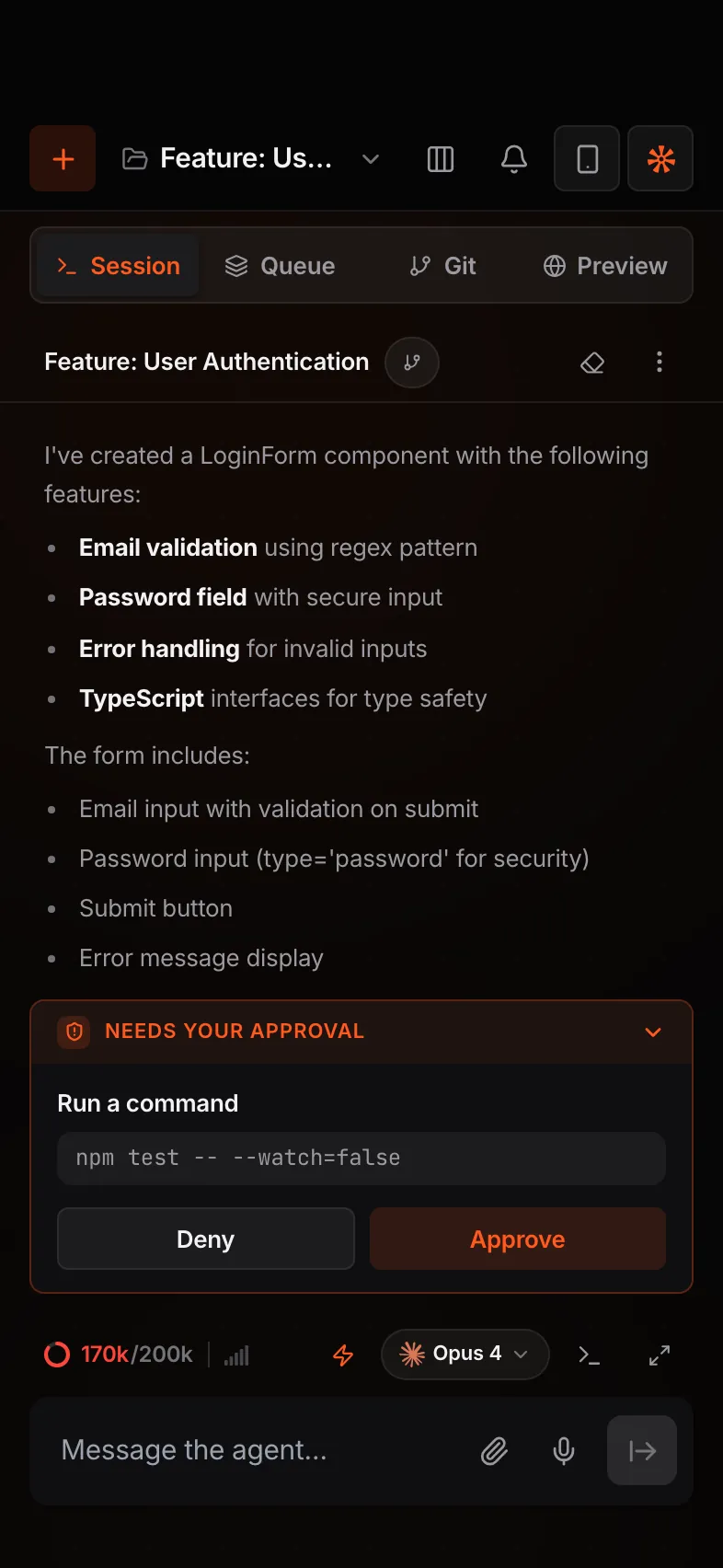
  1. Not a viewer. Chat, queue, git, files, terminal and preview all run from the phone.
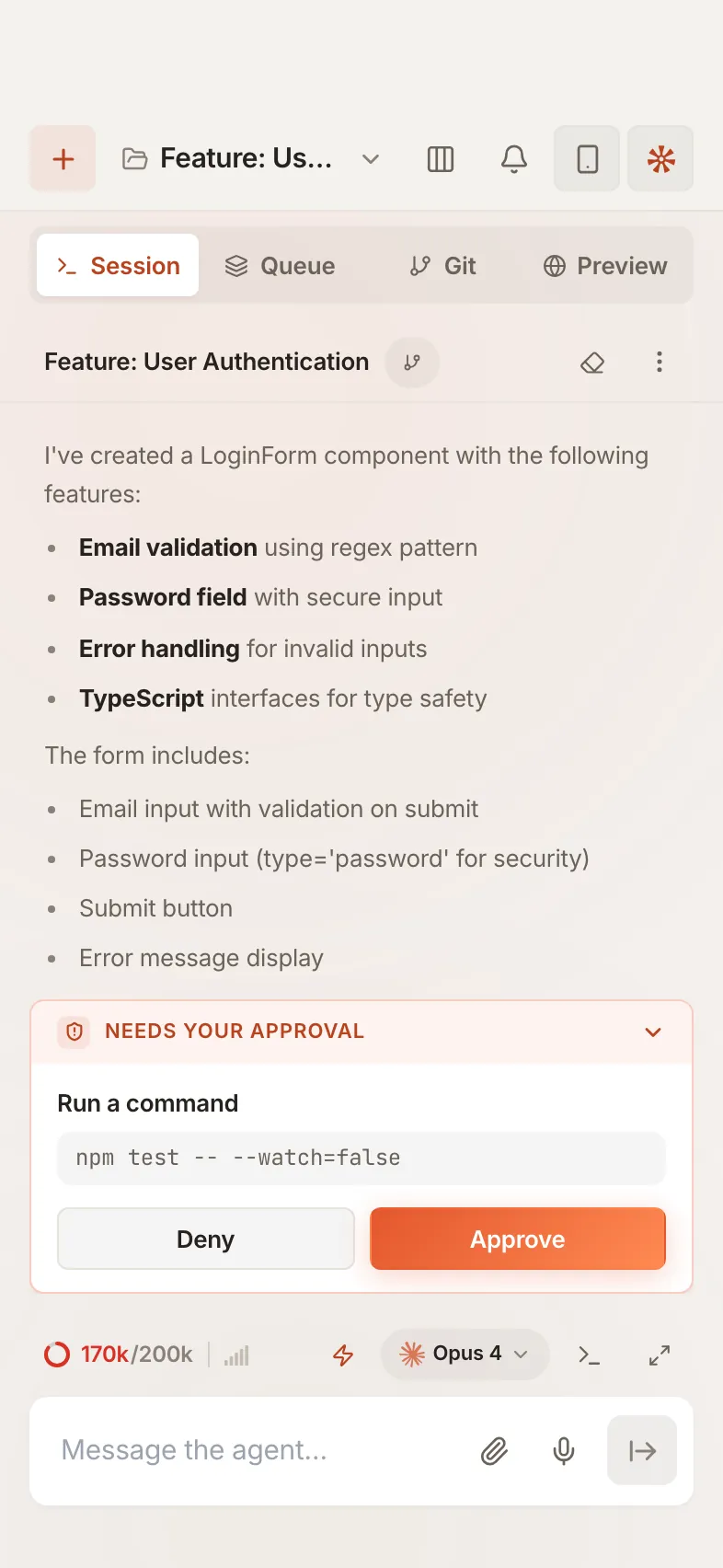
  2. Approve on the go. Allow or deny a command the moment the agent asks.
  3. Several machines. Pair a laptop and a build box, switch with a tap.
A session on the phone.A session on the phone.
Approving a command from the phone.Approving a command from the phone.
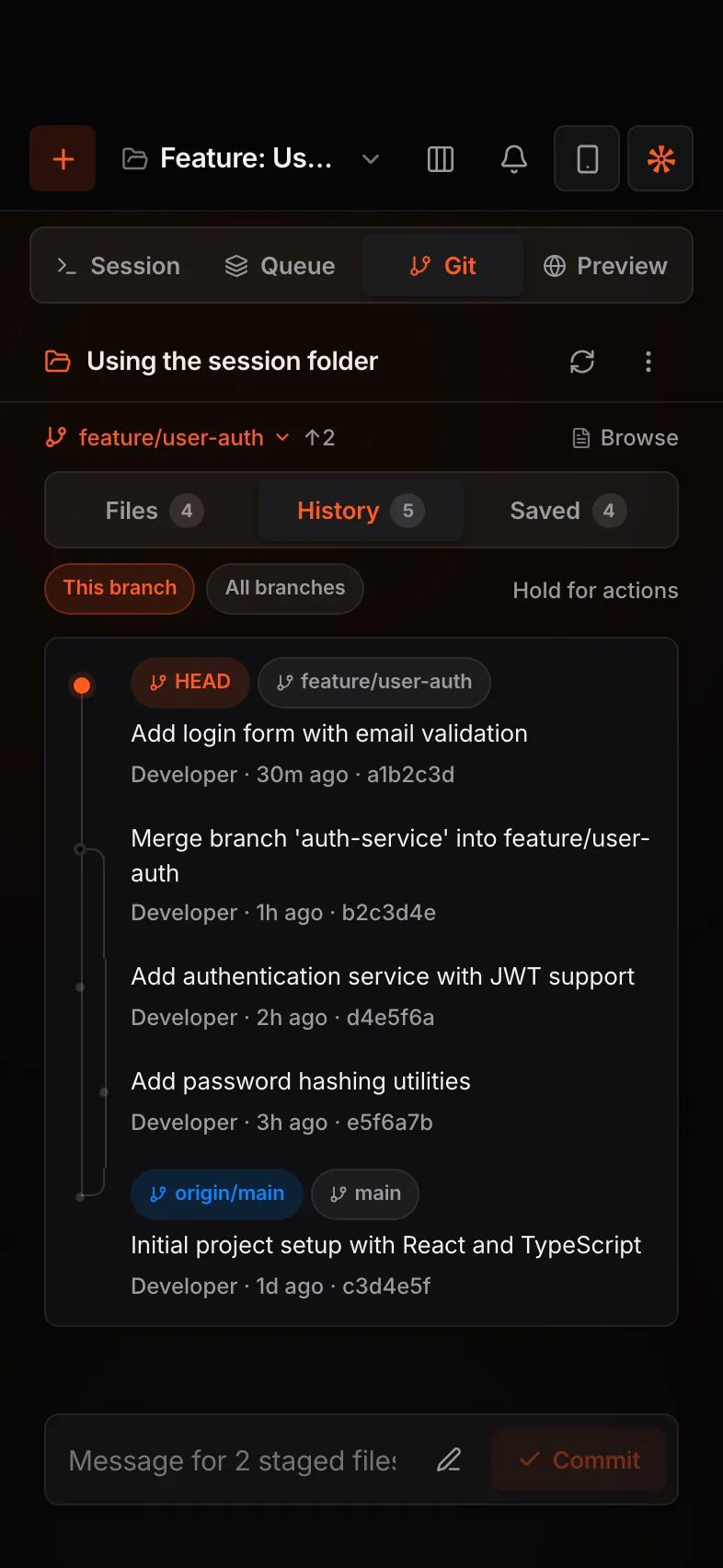
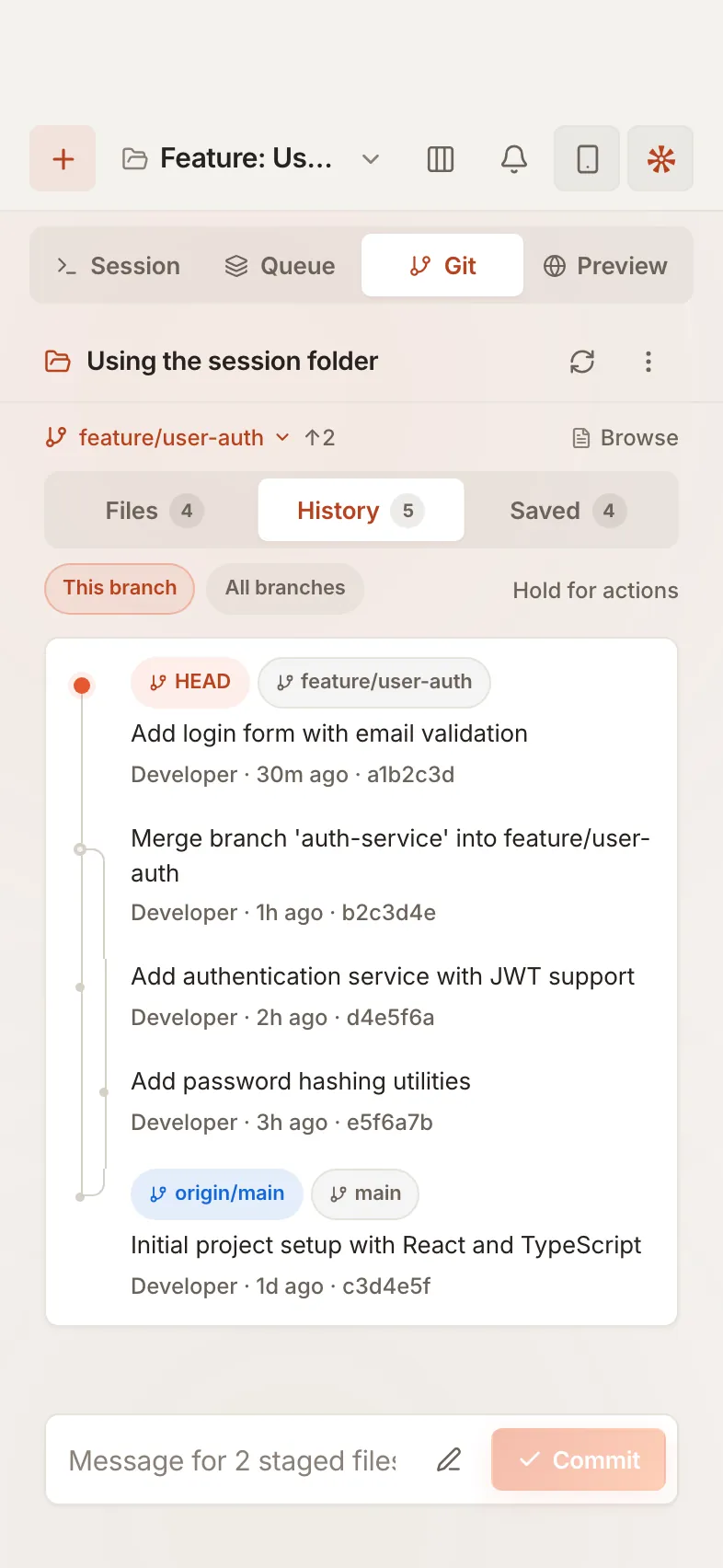
Git history on the phone.Git history on the phone.
Sessions

Find any work again.

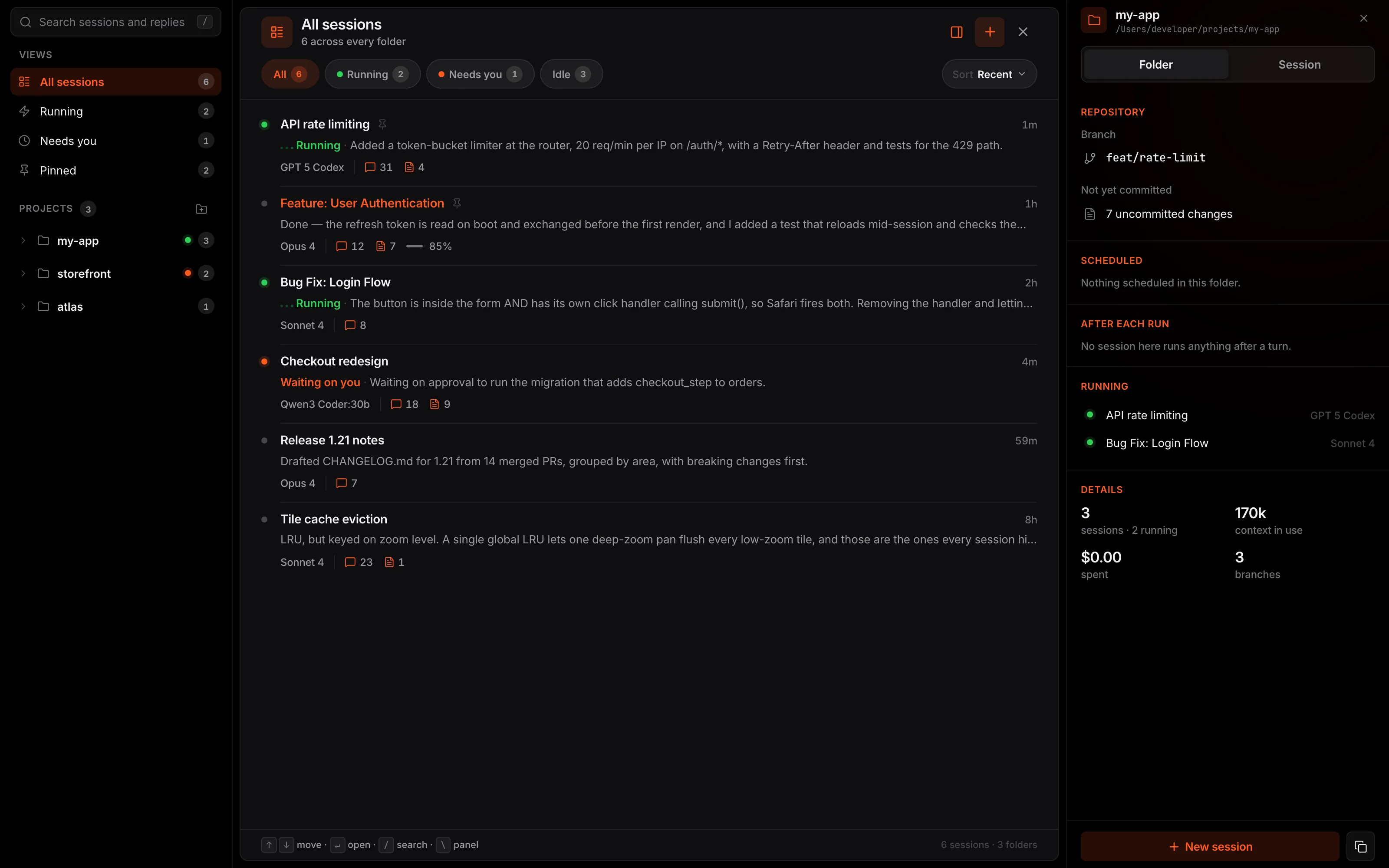
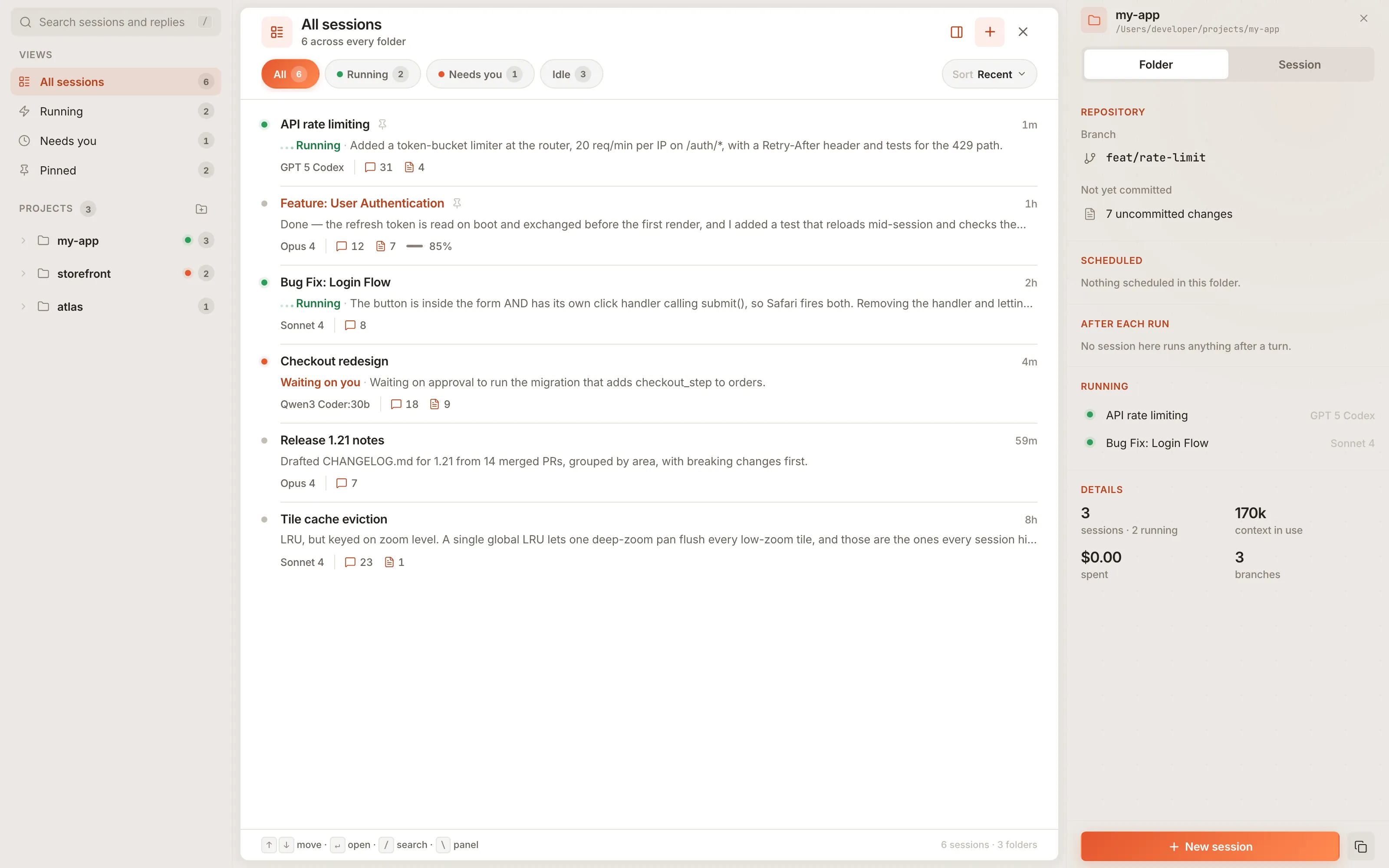
  1. One list. Running, Needs you and Pinned, grouped by project.
  2. Search inside. A transcript search covers replies, tool calls and commands.
  3. Fork. Carry a conversation into a new session from its latest reply.
  4. Hand off. Pass a session to a teammate with the repo, commit and context in one file.
The session list grouped by project, with running and waiting sessions.The session list grouped by project, with running and waiting sessions.
Open by design

Any model. Costs in view.

  1. Three agent CLIs. Claude Code, Codex and OpenCode, chosen per session.
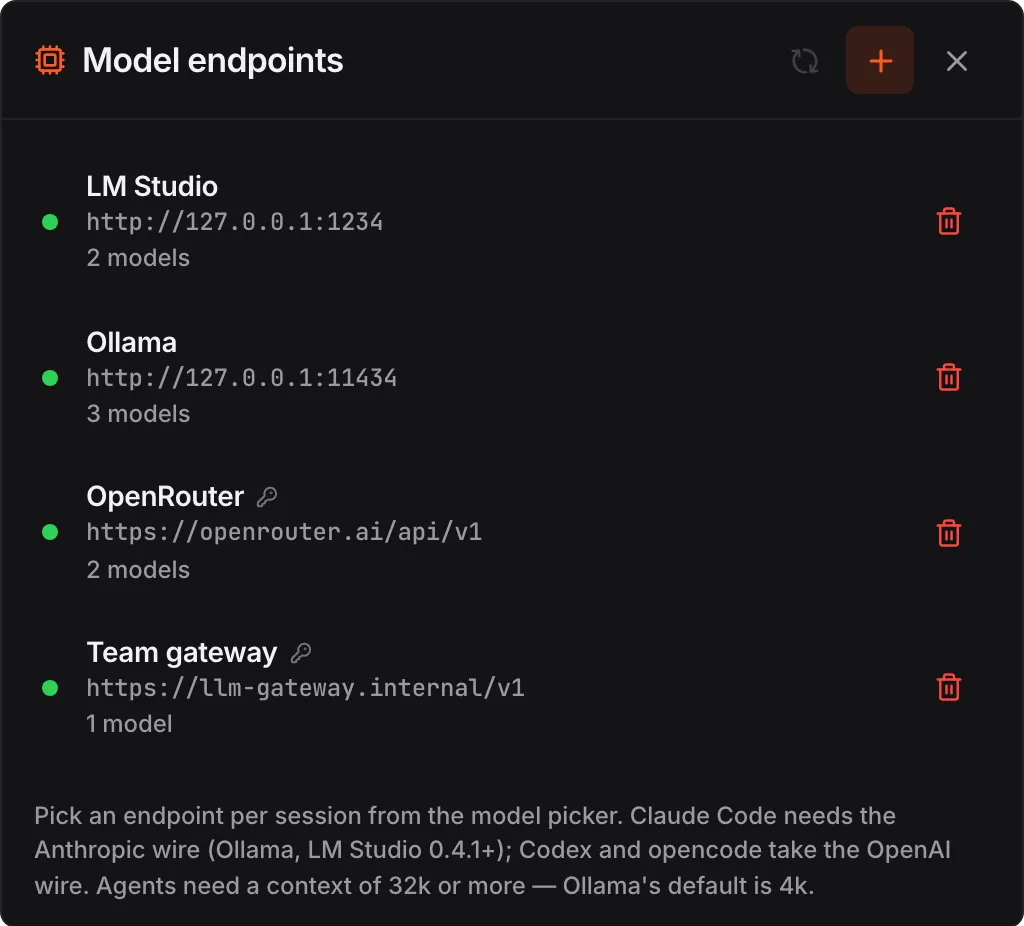
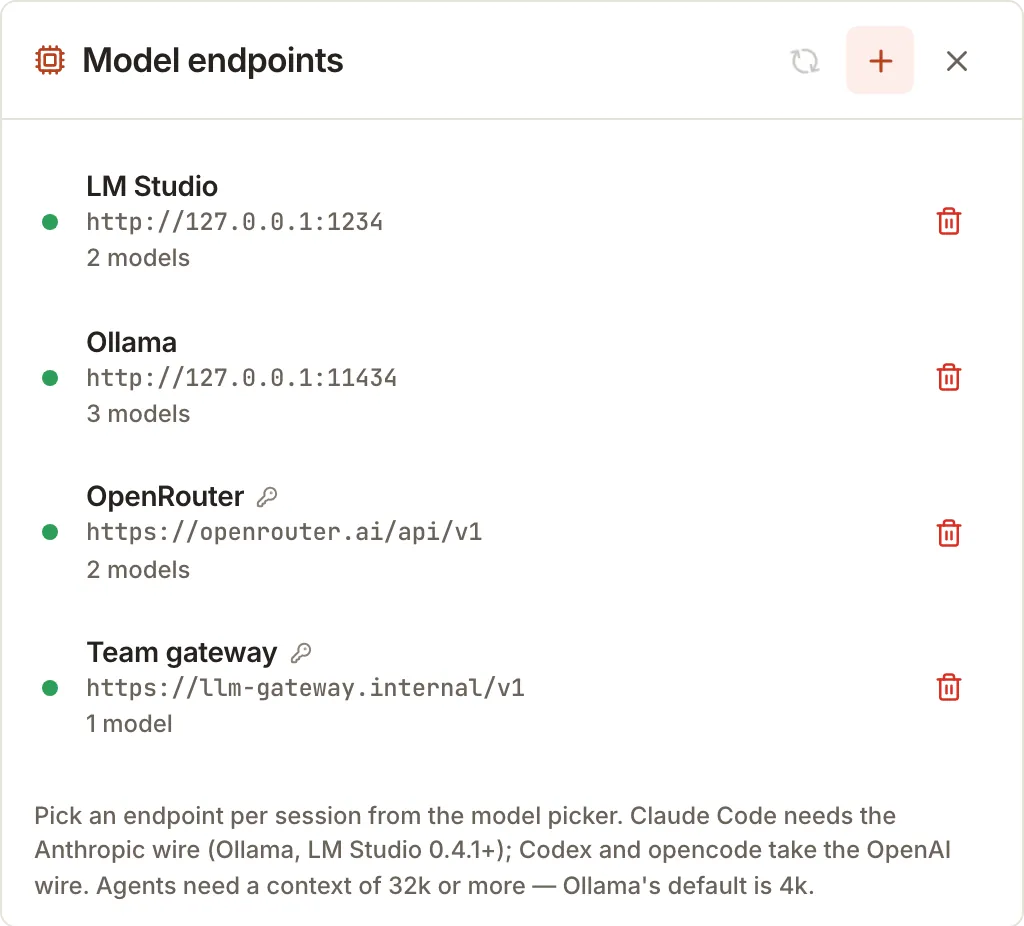
  2. Local and private models. LM Studio, Ollama, llama.cpp, vLLM, OpenRouter or your own gateway.
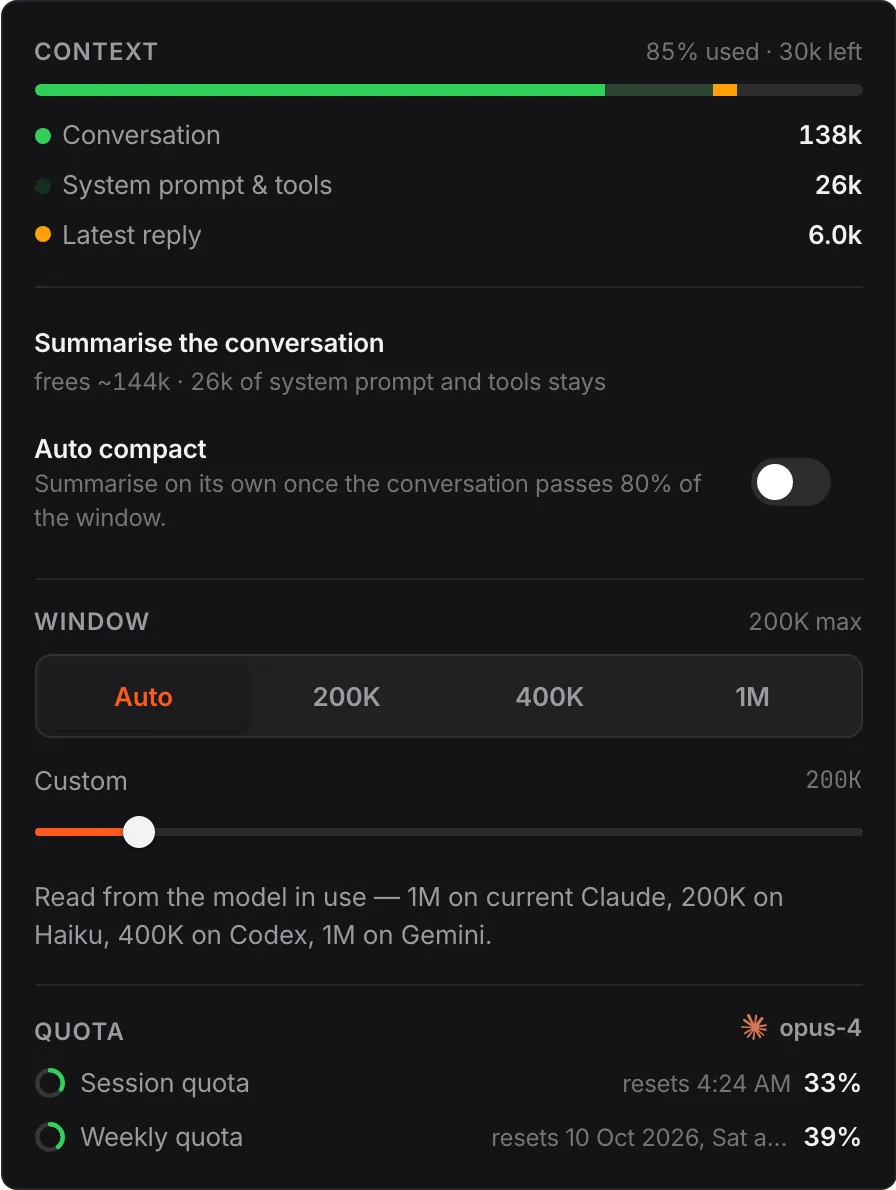
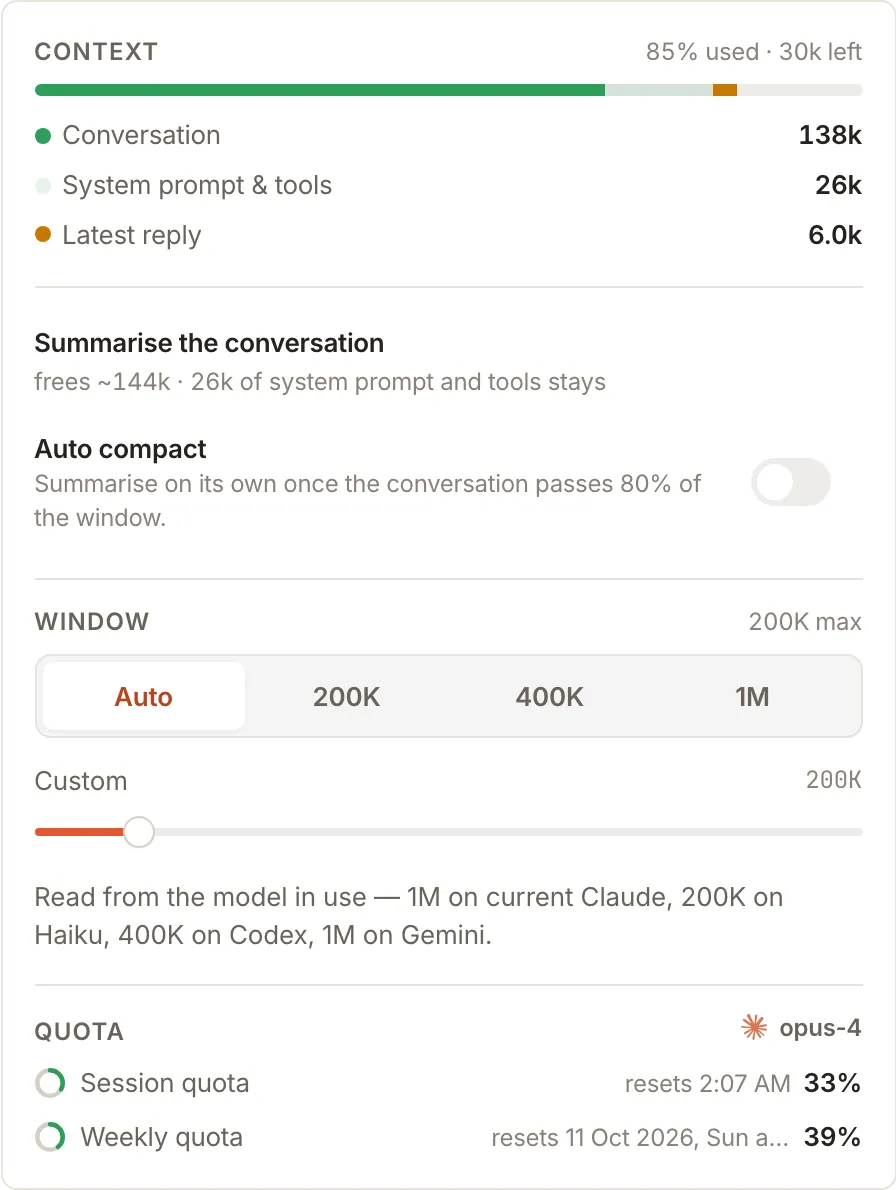
  3. No surprises. Cost per session and a context meter that shows what fills the window.
Model endpoints: LM Studio, Ollama, OpenRouter and a team gateway.Model endpoints: LM Studio, Ollama, OpenRouter and a team gateway. The context meter, broken down by what fills the window.The context meter, broken down by what fills the window.
Release

From change to server.

  1. Real git. Stage, commit, push, stash, cherry-pick, revert and rebase, from the history.
  2. Release in one tap. Your release shortcut runs the same from the desk or the phone.
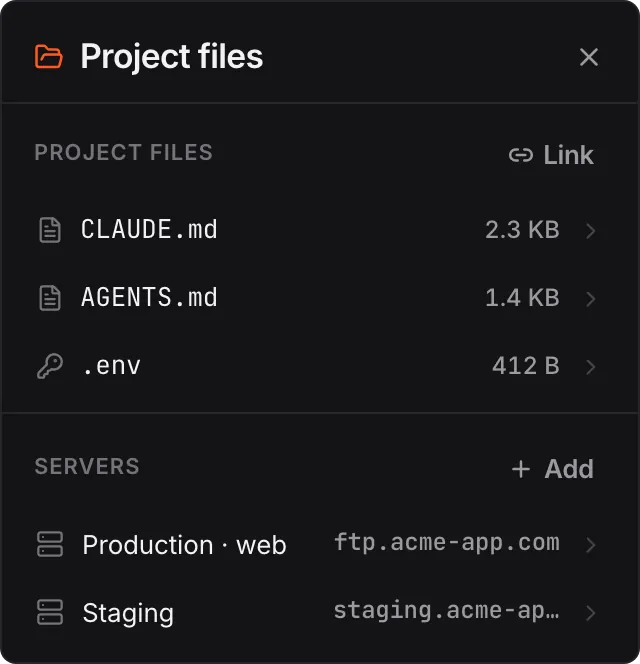
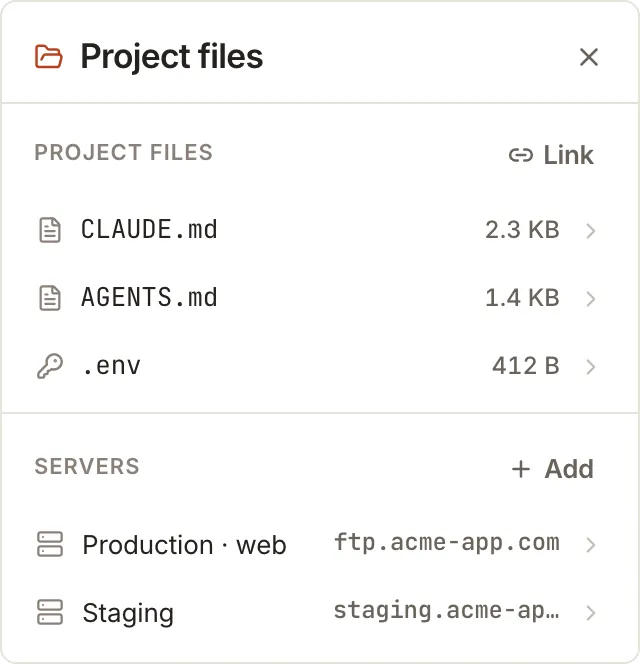
  3. Servers. Credentials sit in the OS keychain. Agents update files on the host directly.
Git history beside the live preview.Git history beside the live preview.
Project files and servers.Project files and servers.
Ship

Ship it. Watch it. Fix it.

Everything after the code is written, for one project: the board, pull requests and CI, deploys, and production. Shared by every session and every device.

Plan→Run→Check→Ship→Watch→Queue a fix↺
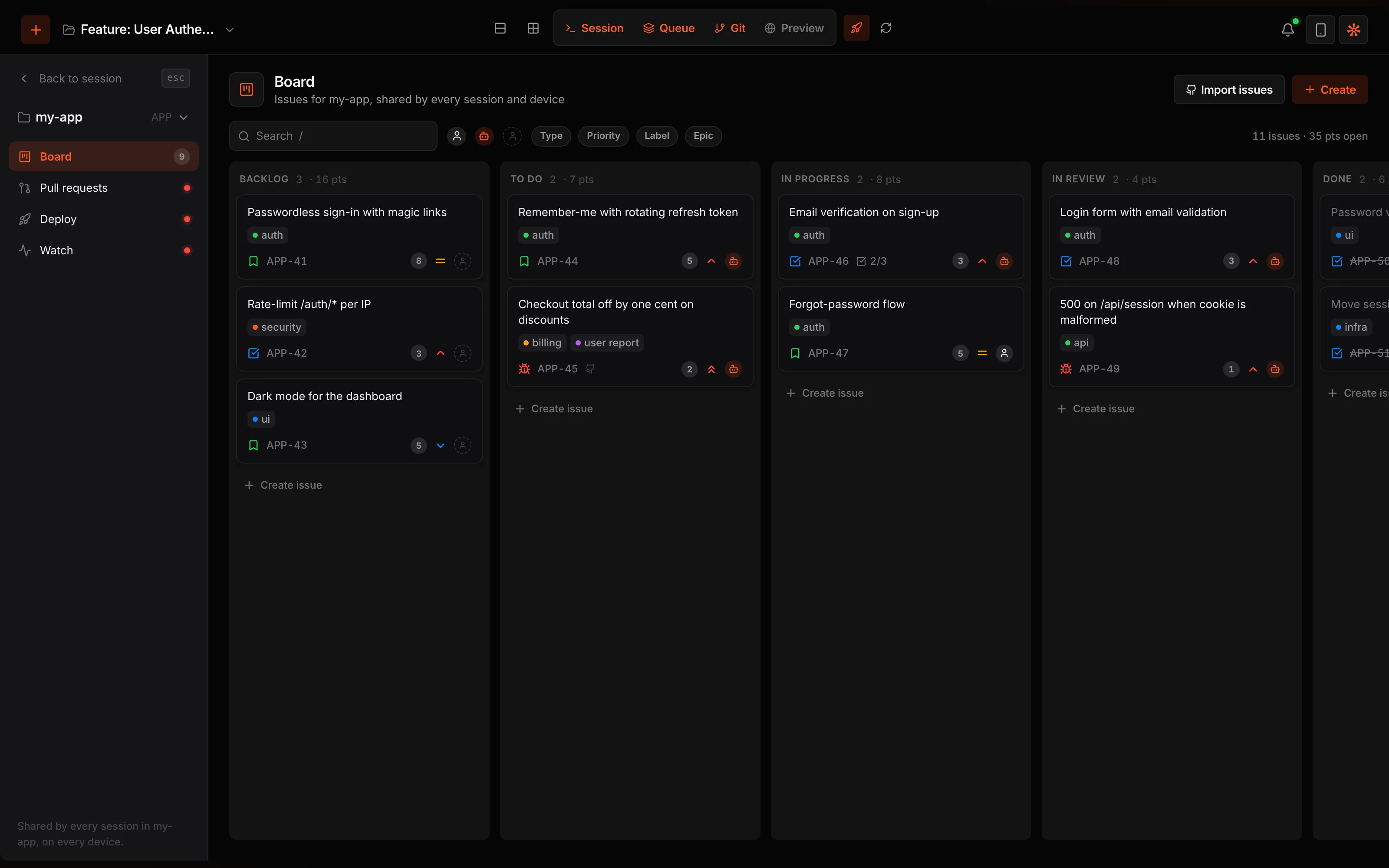
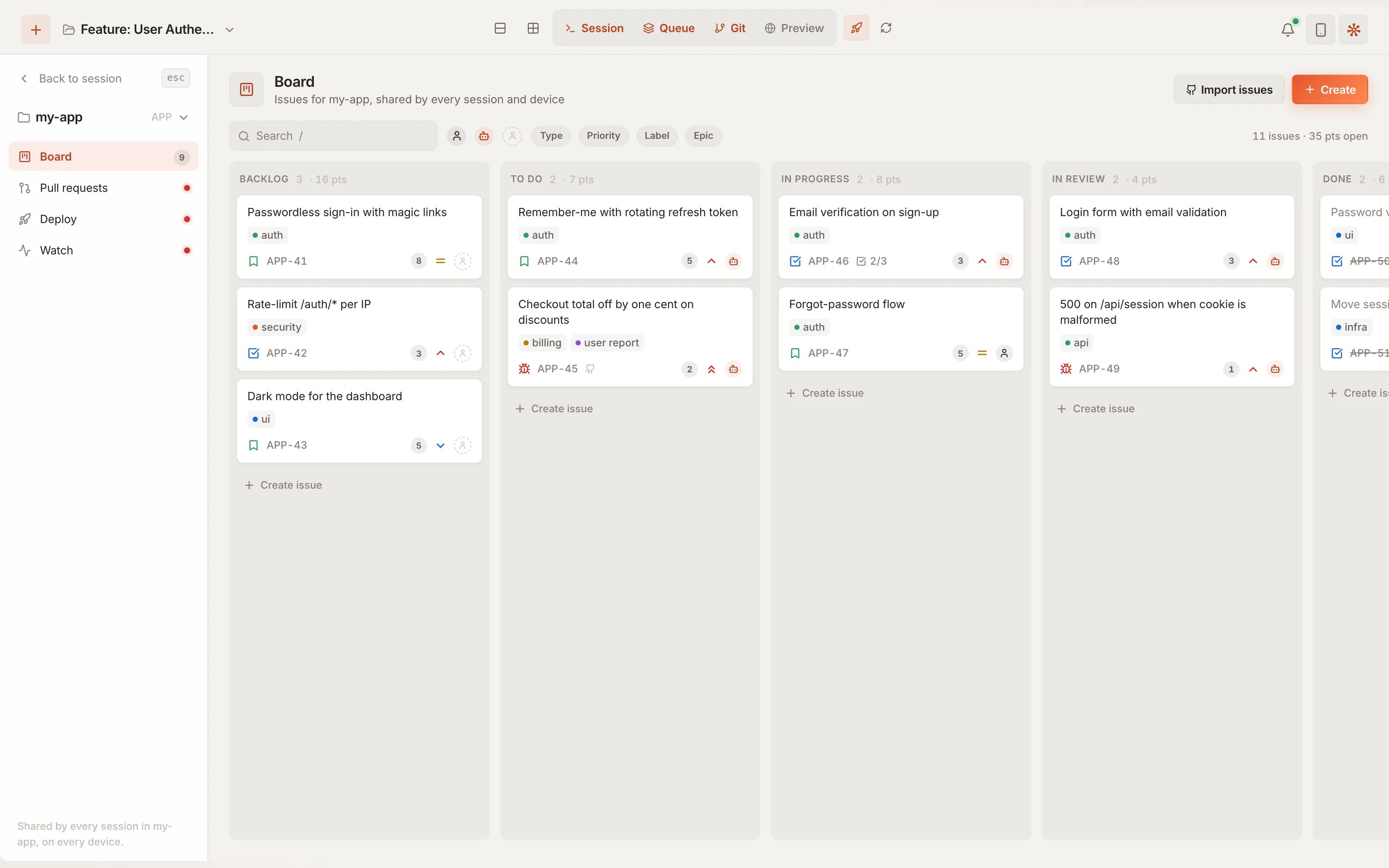
The Ship board: issues across Backlog, To do, In progress, In review and Done.The Ship board: issues across Backlog, To do, In progress, In review and Done.
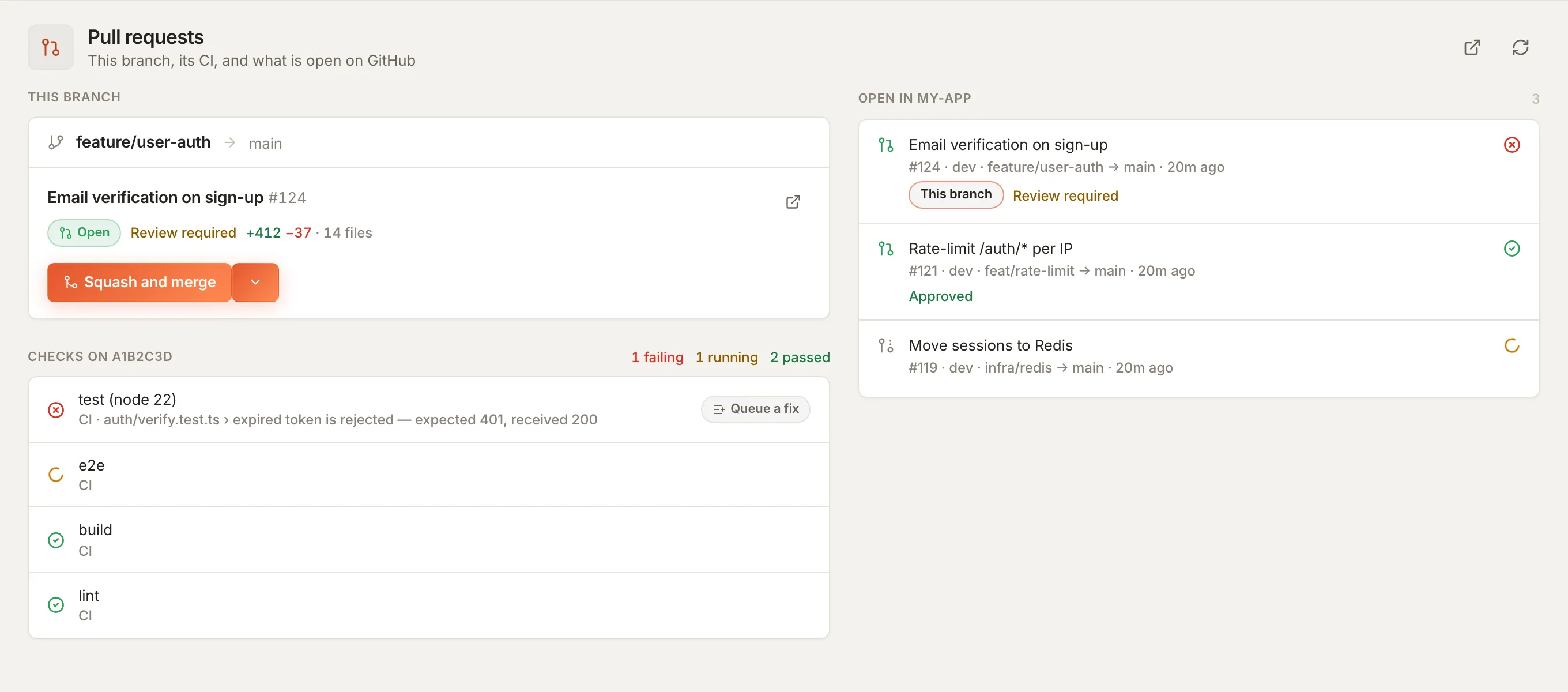
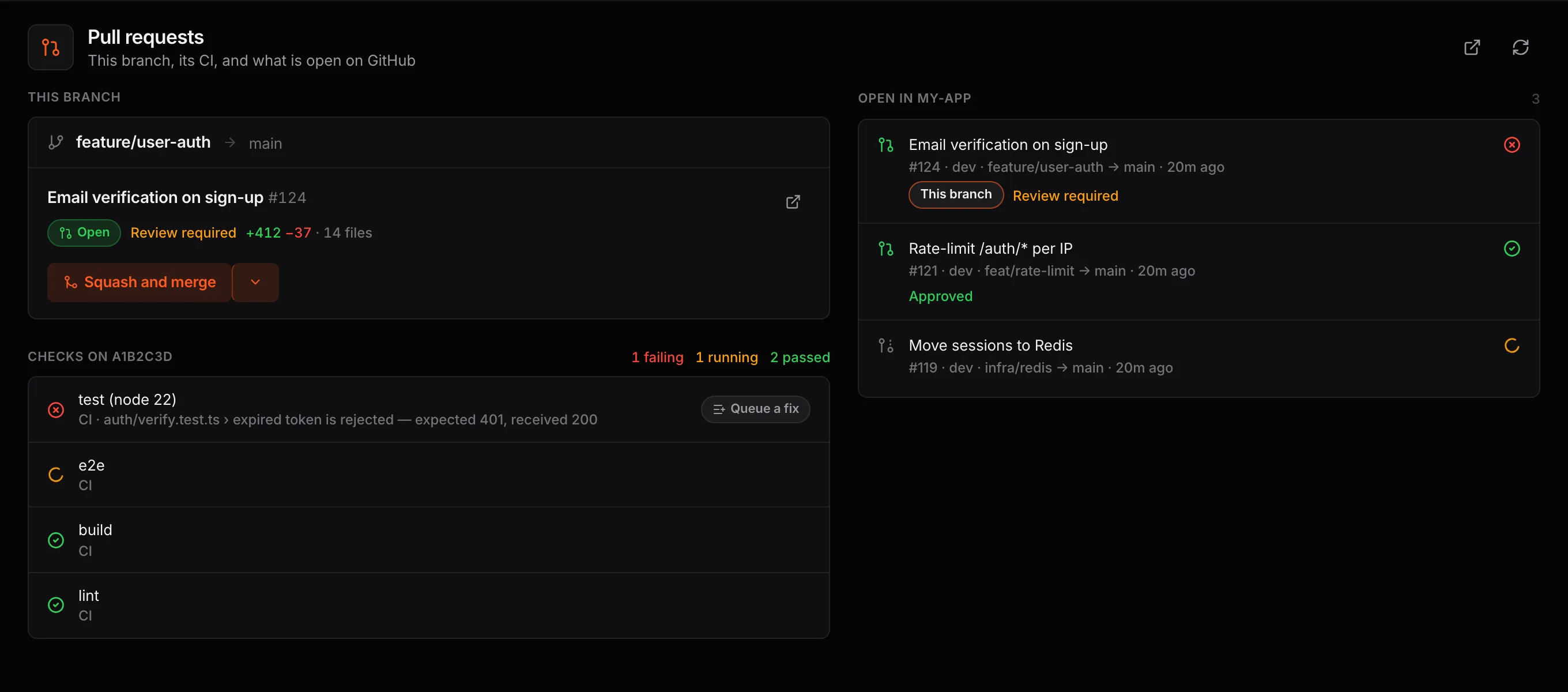
Pull requests: this branch's PR, its CI checks, and a failing test with Queue a fix.Pull requests: this branch's PR, its CI checks, and a failing test with Queue a fix.
A failing check, with the error, one tap from the agent's queue.
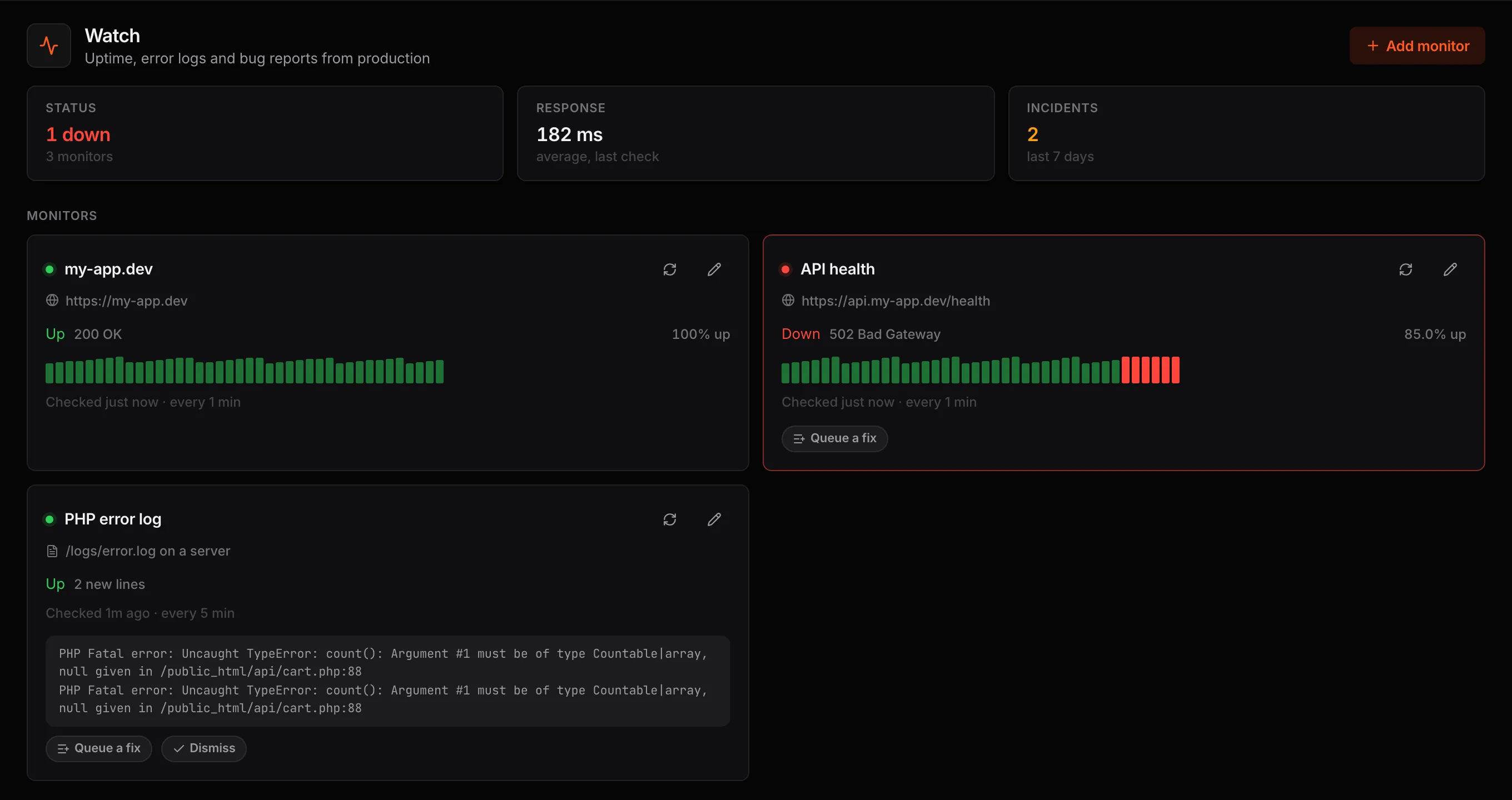
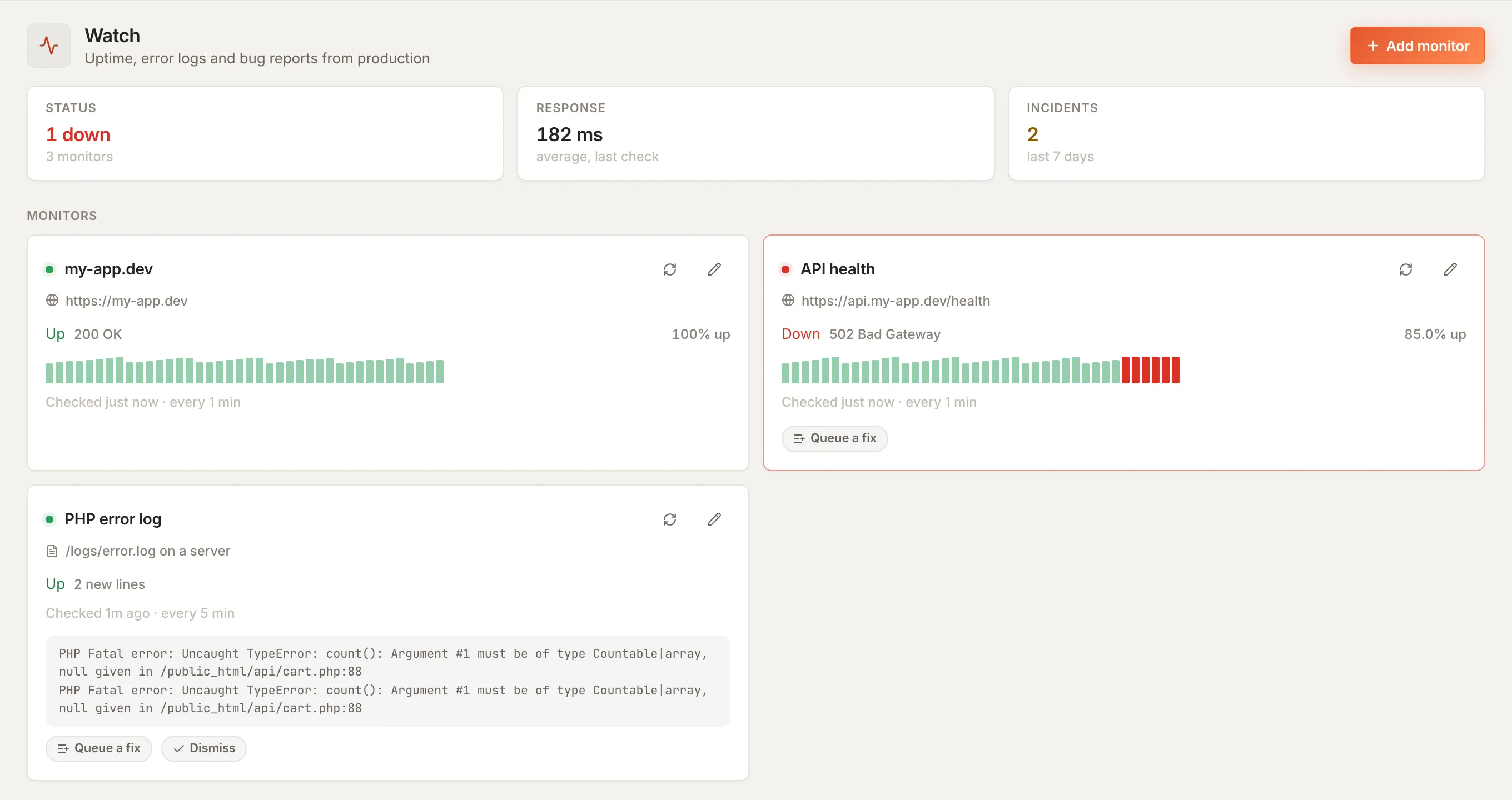
Watch: uptime monitors, a production error log, and an incident with Queue a fix.Watch: uptime monitors, a production error log, and an incident with Queue a fix.
Uptime and production logs. An outage becomes the agent's next task.
01 · Plan

A board per project

GitHub issues in, bug reports included. Send a card to the agent or queue it.

02 · Ship

PRs and CI

Open, check and merge pull requests without leaving the session.

03 · Deploy

One tap from anywhere

Build steps, upload and a live check, run from the desk or the phone.

04 · Watch

Production in view

Uptime and error logs, with an alert on your phone when something breaks.

Security

Your code stays on your devices.

End-to-end encryptedNaCl on each device. The relay forwards bytes it cannot read.
No accountsA QR code pairs a device. Nothing to provision or revoke centrally.
Remote in one clickTailscale, Cloudflare or ngrok, or stay on the LAN.
Self-hostableRun your own relay if you want the whole path.
macOSWindowsLinuxiOSAndroid
Your phoneQew mobileEncrypts before anything leaves.
Relay or tunnelPasses bytes alongHolds no keys, keeps no code.
Your machineAgents, repo, keys, modelsWhere the work happens. Point an agent at a local LLM and the model runs here too.
The market

Why Qew, not another tool.

Agent CLI aloneAI code editorCloud coding agentQew
Where code runsYour machineYour machineThe vendor's serversYour machines
Which agent and modelOne vendor'sThe editor's listThe vendor's hosted modelsClaude Code, Codex, OpenCode or a local LLM
Work while you're awayCron you wire upEditor open, someone watchingYes, in their cloudQueues and schedules on your host
From a phoneSSH on a small screenDesk onlyA web chatNative apps with git, terminal and approvals
After the mergeOther toolsOther toolsOpens a PR, then stopsBoard, PRs, deploys and uptime, with Queue a fix
Checks per turnHooks you scriptYou run themCI on the pull requestTests, type check and rewind, built in

Typical of each category, October 2026. Individual products differ.

Questions

Before you install.

Anything else, email qew@swishfoundry.com.

Do I need an account?

No. Pairing is a QR scan between your phone and your machine. There is nothing to sign up for and no password to lose.

Which agents and models does it drive?

Claude Code, OpenAI Codex and OpenCode, on their own models or on any endpoint you add: LM Studio, Ollama, llama.cpp, vLLM, OpenRouter or your own gateway. You install and license the agents yourself; Qew drives whichever is on your machine.

Does my code go through your servers?

Only if you choose relay mode, and even then it is encrypted end to end with NaCl before it leaves your device, so the relay cannot read it. On the local network, a tunnel or your own relay it never touches our infrastructure.

What happens if my phone loses signal?

The run carries on. Your machine does the work, not the phone. Queues and schedules fire on the host, and Qew catches you up when the phone reconnects.

What does Ship need?

The Qew desktop app as the host, and a GitHub repository for issues and pull requests. Deploys run your own build steps with an optional FTP upload, and Watch checks URLs and tails logs on your servers.

Can I use it away from my home network?

Yes. Use the relay, host it yourself, or reach your machine through Tailscale, Cloudflare or ngrok.
Your agents, one command center.
Start on one repo today. Download it, scan the code, queue a task.